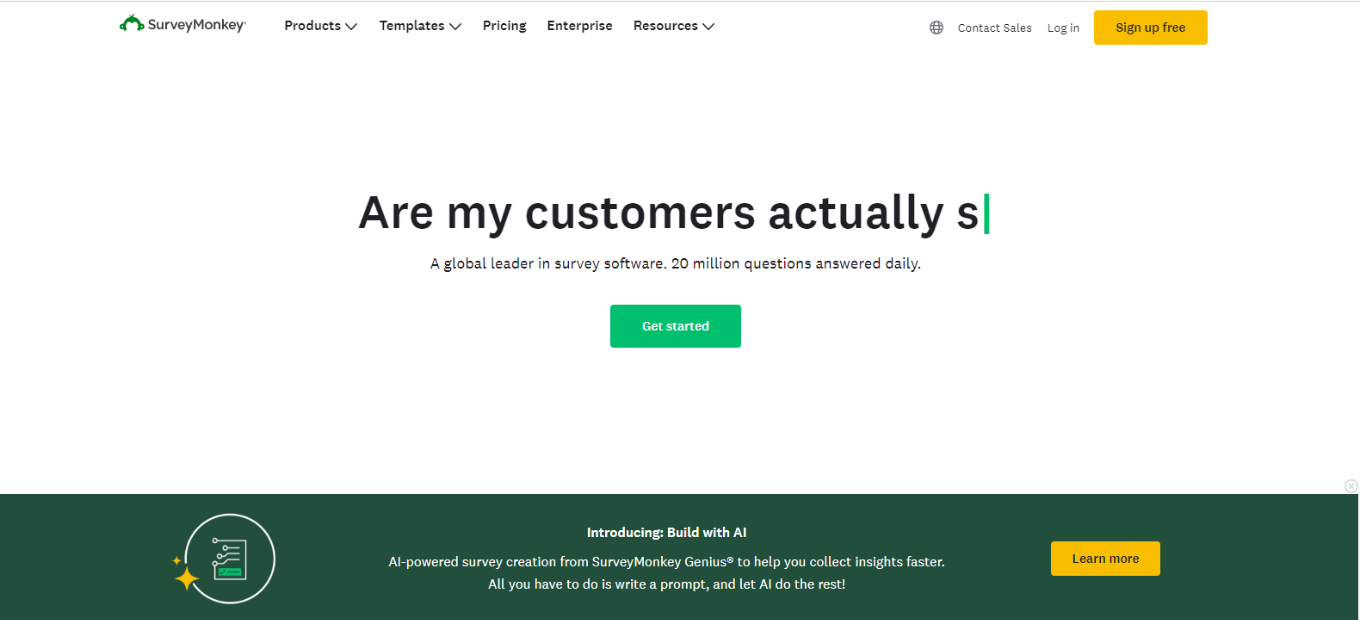
SurveyMonkey: Your Go-To Tool for Surveys and Market Research

Our Verdict 🌟

SurveyMonkey shines as a versatile and user-friendly online survey tool, perfect for businesses, academics, and individuals seeking insights through well-structured surveys and market research. Its ease of design and wide range of question types cater to various data collection needs.

✅ Pros & ❌ Cons

Pros:

  • Intuitive Design: Easy to create and distribute surveys.
  • Diverse Question Types: Offers a variety of question formats.
  • Powerful Analysis Tools: In-depth data analysis features.
  • Integration Capabilities: Seamlessly integrates with various platforms.

Cons:

  • Cost Factor: Premium features can be expensive.
  • Limited Customization: In free and lower-tier plans.
  • Overwhelming Options: Can be complex for new users.

About SurveyMonkey 📊

Founded in 1999, SurveyMonkey has become a leading tool in online surveys, offering solutions for businesses, educational institutions, and individuals to gather and analyze data efficiently.

What’s In It For You? 🎯

SurveyMonkey provides a comprehensive set of tools for creating, distributing, and analyzing surveys, making it an ideal choice for market research, customer feedback, and academic research.

How It Works 🛠

Creating a Survey

  1. Sign Up: Register on SurveyMonkey’s website.
  2. Choose a Template: Select from various survey templates or create your own.
  3. Customize Your Survey: Add questions, change layouts, and personalize.
  4. Distribute: Share your survey via email, social media, or embed on a website.

Analyzing Results

  • View Responses: Check real-time responses and data.
  • Use Analytics Tools: Analyze data with built-in tools for insights.

SurveyMonkey Pricing Plans: Choose What Works for You 💰

Overview of Plans 🌟

Team Plans 🏢

  • Team Advantage: ₱920/user/month, 50,000 responses/year, essential collaboration tools.
  • Team Premier: ₱2,275/user/month, 100,000 responses/year, advanced features.

Individual Plans 🧑

  • Similar core features as Team plans but tailored for solo use.

Enterprise 🌐

  • Custom pricing, unlimited surveys and questions, enhanced support and security.

Key Features Across All Plans 🔑

  • Collaboration: Survey sharing, comments, response notifications.
  • Integration: Works with popular collaboration apps.
  • Support: Ranges from email to phone support.
  • Customization: Custom logo, colors, URL, and skip logic.
  • Analytics: Advanced features, benchmarks, data visualization.

Enterprise Exclusive Features 🚀

  • Advanced Collaboration: More extensive tools for team collaboration.
  • Enhanced Security: Includes HIPAA compliance, SSO, audit logs.
  • Dedicated Support: Access to a customer success manager.

Whether you’re part of a team, an individual, or a large enterprise, SurveyMonkey offers a range of plans to fit different survey and analysis needs.

Competition 🏆

Compared to Qualtrics

✅ Pros

  • User-Friendly: More intuitive for beginners.
  • Affordable Plans: More accessible for small businesses and individuals.

❌ Cons

  • Less Advanced Analytics: Qualtrics offers more depth in data analysis.
  • Fewer Customization Options: Qualtrics provides more flexibility.

Conclusion 🎬

SurveyMonkey stands out for its ease of use, diverse question types, and robust analysis tools, catering to a wide range of survey needs.

“Empower Your Insights with SurveyMonkey.”

QuickBooks: Your Essential Accounting Software

⚖️ Our Verdict

QuickBooks stands out as a comprehensive and user-friendly accounting solution, ideal for small to medium-sized businesses. It excels in streamlining financial management, offering robust features for bookkeeping, invoicing, and payroll processing.

👍 Pros & 👎 Cons

Pros:

  • Intuitive interface and easy setup.
  • Extensive features for accounting, payroll, and tax preparation.
  • Strong reporting capabilities.
  • Wide range of integrations with other business tools.
  • Excellent customer support and resources.

Cons:

  • Can be expensive for smaller businesses.
  • Occasional complexities in advanced features.
  • Limited customization in certain areas.

📜 About QuickBooks

QuickBooks, by Intuit, is a leading accounting software that helps businesses manage their finances effectively. It offers solutions for invoicing, bill management, payroll, and financial reporting, catering to a diverse range of business needs.

💡What’s In It For You?

QuickBooks provides:

  • Versatile accounting tools for tracking income and expenses.
  • Simplified invoicing and payment solutions.
  • Efficient payroll processing and tax filing.

Getting Started with QuickBooks: A Step-by-Step Guide

  1. Sign Up for QuickBooks: Visit QuickBooks Website and choose a plan that suits your business needs.
  2. Set Up Your Account: Fill in your business details, including company name, industry, and business structure.
  3. Customize Your Settings: Configure settings such as account preferences, invoice templates, and payment options.
  4. Connect Your Bank Account: Link your business bank account to track transactions automatically.
  5. Enter Your Business Information: Input details like customer information, vendors, and employee data.
  6. Set Up Your Chart of Accounts: Customize your chart of accounts to match your financial reporting needs.
  7. Start Invoicing: Create and send invoices to clients directly from QuickBooks.
  8. Manage Expenses: Record and categorize business expenses for accurate financial tracking.
  9. Reconcile Bank Transactions: Regularly reconcile your bank transactions to keep your accounts accurate.
  10. Explore Advanced Features: Utilize additional features like payroll, time tracking, and financial reporting for comprehensive business management.

💰 Pricing Plans & Support

QuickBooks offers several pricing plans, tailored to different business needs:

  1. Simple Start:
    • Price: Starts at $15 per month (discounted price for the first 3 months).
    • Features:
      • Income and expense tracking.
      • Receipt capture and organization.
      • Invoicing with custom templates.
      • Mileage tracking.
      • Integration with popular apps.
  2. Essentials:
    • Price: Starts at $30 per month (discounted price for the first 3 months).
    • Includes all Simple Start features, plus:
      • Bill management and payment.
      • Time tracking for employees and contractors.
      • Access for up to 3 users.
      • Additional business reports.
  3. Plus:
    • Price: Starts at $45 per month (discounted price for the first 3 months).
    • Includes all Essentials features, plus:
      • Inventory tracking.
      • Project profitability analysis.
      • Access for up to 5 users.
      • Advanced reporting features.
      • Enhanced customer support.
  4. Advanced:
    • Price: Starts at $100 per month (discounted price for the first 3 months).
    • Includes all Plus features, plus:
      • Batch invoicing to save time.
      • Customized access by role.
      • Business analytics and insights.
      • Fathom reporting tool.
      • Dedicated account manager.

Each plan includes features for managing income, expenses, invoicing, and reporting, with higher plans offering more advanced functionalities like inventory tracking and business analytics.

⚔️QuickBooks vs. Xero

QuickBooks Pros:

  • Comprehensive accounting features.
  • Strong U.S. market presence and support.
  • Integrated payroll services.

QuickBooks Cons:

  • Higher cost for advanced features.

Xero Pros:

  • User-friendly interface.
  • Strong focus on automation and integration.
  • Competitive pricing.

Xero Cons:

  • Limited payroll options in certain regions.
  • Less comprehensive support in the U.S.

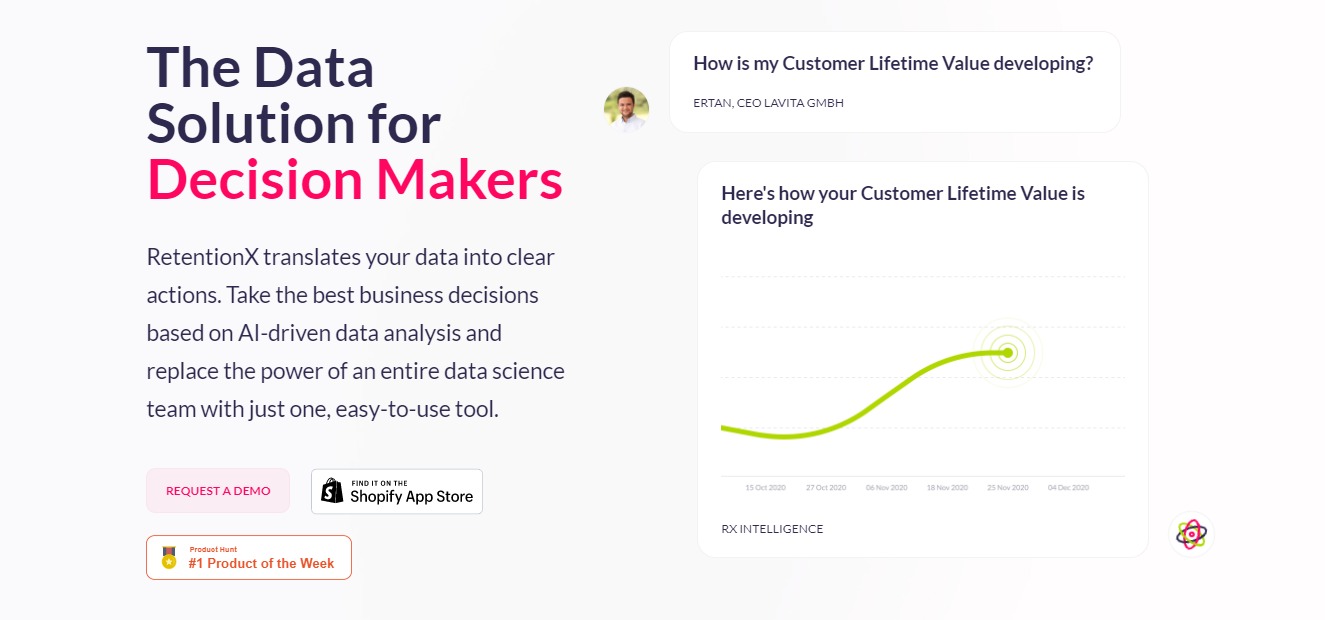
RetentionX: The Data Solution for Decision Makers

⚖️ Our Verdict

In a world filled with promises and false hope, RetentionX is a software that truly delivers. It’s the data solution for decision-makers. If you are running a business or an eCommerce store, we highly recommend going with RetentionX.

They have proven to translate business data into clear actions. This amazing software promises to deliver the best business decisions, and we can attest to that!

👍 Pros👎 Cons
👍 Easy to use
👍 Achieve customer retention
👍 Provides accurate and helpful data
👍 Offers business decisions based on AI & Machine Learning
👎 With all the benefits and features you can get from RetentionX, we cannot think of a single con for this app.

🌟 About RetentionX

Alexander Jost is a young executive manager. He has over a decade of experience when it comes to building and leading startups in eCommerce, health tech, data science, and more. He has guided blue-chip companies through digital transformation, and now, he offers RetentionX.

RetentionX is one of the most sophisticated data science engines out there. It provides answers to questions that existing technology could not answer. This amazing product helps you gather and understand all these data without every needing a data science specialist. With this incredible app, you can make better decisions based on AI-driven data analysis

🎁 What’s In It For You?

With RetentionX’s help, you can increase your sales with the power of data. You have the power of an entire data science team with just one, easy-to-use tool. How cool is that, right?

This fantastic app features 100+ analyses for every successful company. You can share this data with your investors anytime. You get control over your data.

RetentionX also helps you identify the value drivers that are most important to grow your retention in data science-backed reports. Not only that, but you also get to make better business decisions thanks to its Artificial Intelligence and Machine Learning that forecasts up to 6 months of data. This amazing app also allows you to create custom segments using their versatile builder which lets you compare charts, predictions, and more. 

🖥️ How Does It Work?

The process behind this is usually very technical. However, RetentionX can provide you insights that everyone would understand. Upon installation, RetentionX gets up and running within 120 minutes. You can integrate it into your existing systems. You can get RetentionX through Shopify.

Or you can also Request A Demo on their website. 

Once you have it installed, it will gather your website’s data. Its autonomous RX algorithms will normalize, aggregate, and analyze your data. It will run 24/7 using state-of-the-art machine learning technologies. 

After that, you can get reports based on the data you’re looking for and make the best business decisions. 

💲 Pricing Plans & Support

RetentionX offers 3 different plans for different types of businesses. Check them out below. 

💎 Lite – $99

〰️100+ data science-backed analyses

〰️Export charts and data tables

〰️Multi-user access

💎 Standard – $249

〰️All Lite features

〰️Email Reports

〰️Segmentation Builder

〰️Benchmarking

💎Advanced – $399

〰️All Standard features

〰️Churn & CLV Prediction

〰️Forecasts

〰️Anomaly Detection

📍 The Competition

👍 Pros👎 Cons
👍 Performance Metrics
👍 Predictive Analytics
👍 Profitability Analysis
👍 Visual Analytics
👍 Key Performance Indicators
👎 More expensive than other tools
👍 Pros👎 Cons
👍 Data Visualization
👍 Data Mining
👍 Predictive Analytics
👍 Collaboration
👎 Big gap to integrate with other systems

Make the best decision for your business with RetentionX!

RetentionX FAQ

What does RetentionX actually do? It pulls your store, email, ads, and support data into one place and turns it into customer analysis you can act on. The core of it is customer intelligence: cohort views, RFM segments, and lifetime value broken down by the segments you care about. On top of that sit attribution reporting, churn prediction, and automations that push an audience back out to your email or ad tools. The company now describes the product as an e-commerce growth OS rather than a reporting dashboard.

Who is it for? Direct-to-consumer e-commerce brands, mainly ones selling repeat-purchase products such as beauty, food, apparel, and supplements. Retention analysis needs repeat buyers to be interesting, so a catalogue people come back to matters more than headline revenue. It is a weaker fit for one-off high-ticket sales or for B2B SaaS, where the renewal data lives in a CRM instead of a store.

What does it connect to? Shopify and BigCommerce on the store side, Klaviyo, Mailchimp, ActiveCampaign, Braze, and Omnisend for email and SMS, Google Ads, Meta, TikTok, Pinterest, and Snapchat for paid, plus Gorgias, Zendesk, Intercom, and Salesforce for support and CRM. Recharge covers subscriptions. The vendor lists more than 50 integrations, and there is a first-party server-side pixel for tracking that survives browser restrictions.

How much does it cost? Pricing has changed since this review was first published. The Lite, Standard, and Advanced tiers listed below have been replaced by Starter, Core, and Growth plans, and the vendor no longer publishes a public price for them. Check the current RetentionX pricing page for what applies to your order volume rather than relying on the older figures.

Is it worth it over building your own dashboards? That depends on whether you have an analyst. The raw numbers here can be assembled from your store exports and Google Analytics, and plenty of teams do exactly that. What you pay RetentionX for is the joining work: matching customers across email, ads, and support so a cohort chart reflects one person rather than four records. If your data already lives in a warehouse with someone maintaining it, the gap is smaller. If it does not, that joining work is where most in-house retention reporting stalls.

Workomo: Find Out Everything About People Before You Meet

⚖️ Our Verdict

In a business, it is important to know who you’re meeting and interacting with. It is common courtesy to know simple things about our acquaintances. Some people have their personal assistants do this for them, while some choose to use Workomo.

Workomo is a great tool that shows everything important about the people you interact with. This way, you know things about them right before you meet. This great tool is the perfect way to see who you’re dealing with, and their backgrounds. 

ProsCons
👍Free to Use
👍See everything inside your Chrome browser
👍Easy to use
👍Available whenever and wherever you need it
👍Safe and secure
👎Still in its Beta stages

🌟 About Workomo

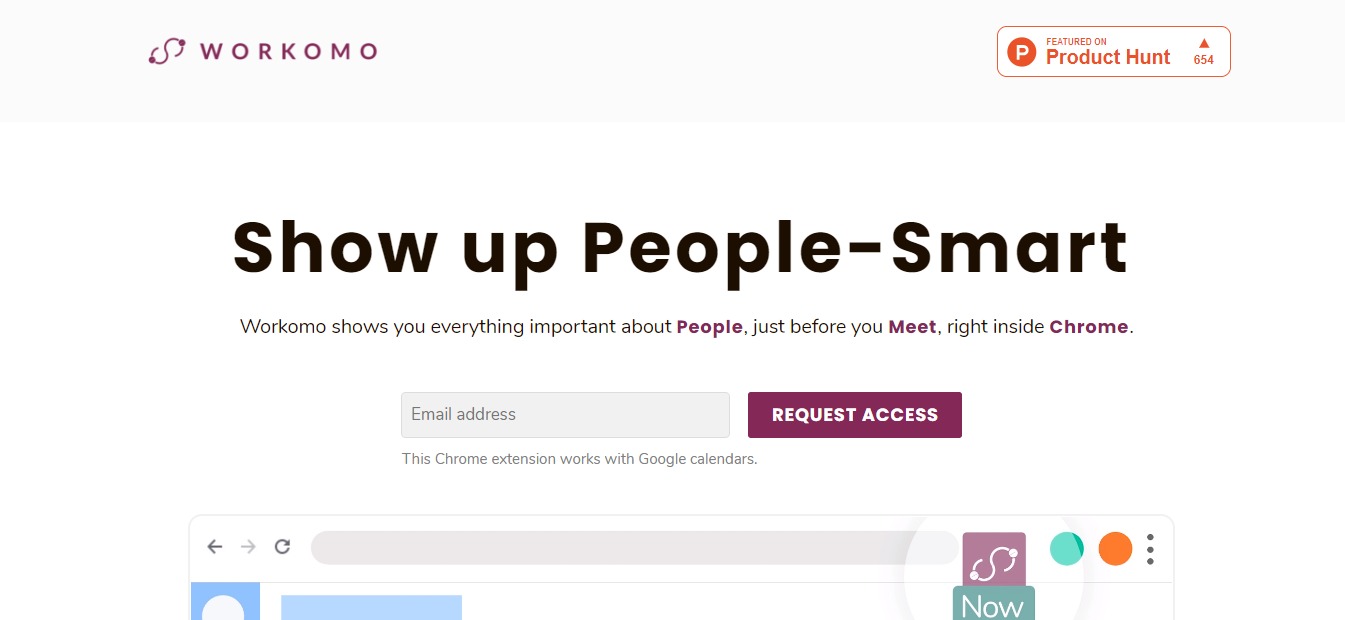
Workomo is a safe and secure tool founded to help people connect. It is a Google Chrome extension that you can use anywhere, and anytime you need it. 

This tool shows you cue cards about the people you are about to interact with so you can find out common interests. It also provides talking points that help you forge a personal connection.

As of now, Workomo is still in its beta stages. But their team is working to get everything perfect for their users. 

🎁 What’s In It For You?

With today’s everyone has a busy schedule. If you do not have the time and resources to do a deep background check on the person you’re doing business with, Workomo will do all of that for you.

Using this tool, you can see a person’s professional background, your common interests, and talking points that will help you forge a personal connection. The best part is, it’s free! 

Every detail is summarized and put in a small cue card for you to read. Workomo also features a timer that reminds you to see the Cue Cards right before your meeting.

If you’re in an online meeting, you can easily access the Cue Cards right within your Zoom or Google Meet Window. 

🖥️ How Does It Work?

  1. To use Workomo, simply visit their website at https://workomo.com/.

  1. Enter your email address on the field and click request for access.

  1. Fill in the fields for your First and Last Name

  1. Wait for the access link sent to your email. Then choose which browser you use the most.

  1. Wait for the installation link to get started. 

💲 Pricing Plans & Support

As of right now, the Beta Workomo is free for its subscribers.

Find Out Everything About People Before You Meet with Workomo

ScrapingHub Crawlera: Hassle-Free Web Scraping

⚖️ Our Verdict

Scrapinghub is the perfect go-to for data extraction. It takes away the hassles of manually scraping and exporting data one by one, and does it all in a few simple steps! They claim to have the world’s smartest rotating proxy web scraping tool, Crawlera. And once you try it out, trust us — it will be hard to argue! Scrapinghub also offers a multitude of different scraping services that definitely delivers. It’s the go-to tool for over a million developers all over the world.

ProsCons
👍 Offers free trial
👍 Automatic healthy IP selection & rotation
👍 Universal HTTP proxy interface
👍 User browser simulation
👍 Unlimited bandwidth
👍 Residential IPs available
👍 Extensive Knowledge Base and Community Support
👍 Real-time dashboard to monitor usage
👎 Prices for each plan can be a little bit tricky to understand
👎 Needs more technical documentation for features

🌟 About ScrapingHub

Founded in 2010, ScrapingHub was created to provide services that go beyond spider development. The company also offers a holistic and scalable data extraction solution with a community of web scraping experts. 

Fast forward to today, Scrapinghub serves over 2,000 companies and 1 million developers all over the world. They pride themselves with providing valuable, accurate, and reliable web data that can help CEOs run their business.

Scrapinghub is also a customer-centric company that literally changes the game in their industry. With more than 300+ billion pages – yes, billion – crawled, they earned the trust of their customers by providing reliable tools and services. 

🎁 What’s In It For You?

As we mentioned earlier, Scrapinghub offers a lot of different tools and services for web scraping. However, our main focus for today is Crawlera, the world’s smartest rotating proxy for hassle-free web scraping. 

What can you get from this tool? Well, let’s go through them one by one. First, this tool manages thousands of proxies internally so you don’t have to. Imagine all the time and effort you can save by just using one simple tool?

This tool is specifically designed for web scraping, and it ensures that your web data is delivered in a quick manner without sacrificing the quality. This means that you can put all your time and effort into consuming the data rather than harvesting it. 

Did we mention that Crawlera has the highest success rates in the market? It’s true! Its rotating proxy network is built with a proprietary ban detection and request throttling algorithm and hundreds of heuristics. 

The best part is, Crawlera is right there with you every step of the way. It was built to scale with your project so you can easily upgrade your services every time you scale!

🖥️ How Does It Work?

One of the best things about Scrapinghub’s Crawlera is that they offer a 14-day free trial. In your free trial, you can easily use up to 10,000 requests for web scraping! How cool is that? 

  1. If you want to try how this amazing tool works, simply visit their website at https://www.scrapinghub.com/crawlera/, and start your free trial. 

2. You will be redirected to a page where you can create your account.

  1. Next, you need to choose your plan and set up your billing account.

  1. Once you set it up, you will receive an API Key to use the product.

💲 Pricing Plans and Support 

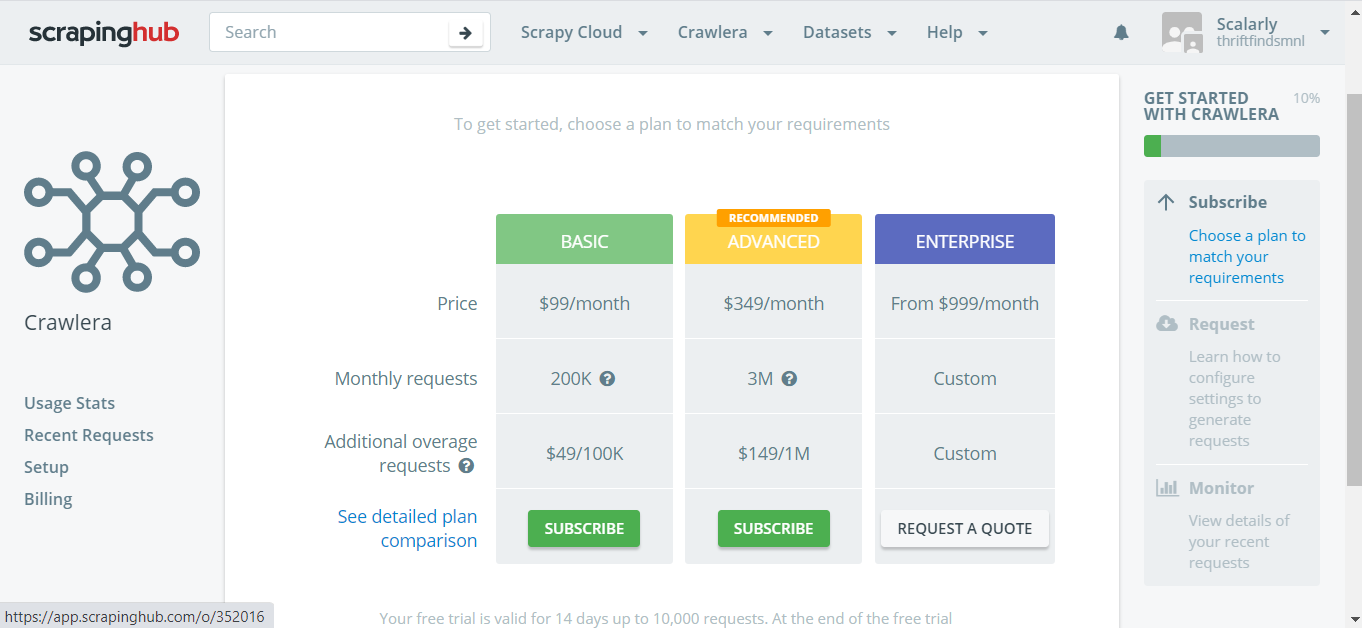
Crawlera has three different plans to offer: Basic, Advanced, and Enterprise. We break them down below:

💎 Basic – $99 per month (Additional requests: $49 per 100k)

〰️200k requests included

〰️50 concurrent requests

〰️Automatic proxy rotation

〰️Automatic retries

〰️Non-obvious ban detection

〰️Automatic proxy optimization

〰️Geolocation

〰️Identify as web browser

〰️Reporting and Visualizations

〰️Documentation & Knowledge Base

〰️24/5 Support

💎 Advanced – $349 per month (Additional requests: $149 per 1m)

〰️2.5 million requests included

〰️200 concurrent requests

〰️Concurrent requests

〰️Automatic proxy rotation

〰️Automatic retries

〰️Non-obvious ban detection

〰️Automatic proxy optimization

〰️Geolocation

〰️Identify as web browser

〰️Reporting and Visualizations

〰️Documentation & Knowledge Base

〰️24/5 Support

〰️Sessions support

〰️Headless browser support

💎Enterprise – $999 per month (Custom pricing for additional requests)

〰️Custom Requests included

〰️Custom Concurrent requests

〰️Automatic proxy rotation

〰️Automatic retries

〰️Non-obvious ban detection

〰️Automatic proxy optimization

〰️Geolocation

〰️Identify as web browser

〰️Reporting and Visualizations

〰️Documentation & Knowledge Base

〰️24/7 Priority Support

〰️Sessions support

〰️Headless browser support

〰️Account management

〰️Personalized onboarding

〰️Configurable cookie management

〰️Configurable browser profiles

〰️Residential IPs

〰️Guaranteed Capacity

📍 The Competition

Scrapinghub faces a lot of competition in their industry, we have compiled a list for you below.

ProsCons
👍Disparate Data Collection
👍 Email Address Extraction
👍 Image Extraction
👍 Document Extraction
👍 Pricing Extraction
👍 IP Address Extraction
👍 Phone Number Extraction
👍 Web Data Extraction
👎 No Custom Pricing Rules
👎 No Profitability Analysis

ProsCons
👍 Disparate Data Collection
👍 Document Extraction
👍 Email Address Extraction
👍 IP Address Extraction
👍 Image Extraction
👍 Phone Number Extraction
👍 Pricing Extraction
👍 Web Data Extraction
👎 No Data Visualization
👎 No Linked Data Management

ProsCons
👍 Disparate Data Collection
👍 Document Extraction
👍 Email Address Extraction
👍 IP Address Extraction
👍 Image Extraction
👍 Phone Number Extraction
👍 Pricing Extraction
👍 Web Data Extraction
👎 No Lead Qualification
👎 No Lead Nurturing
👎 No Lead Scoring

Hassle-Free Web Scraping with Crawlera!