Orgpad: A Simple and Easy-To-Use App That Liberates Your Thinking

โš–๏ธ Our Verdict 

OrgPad is a fantastic tool with versatile functions. It is an upgraded version of a mind map that combines simplicity and functionality. This tool can help you sort your ideas out and straighten your thinking. 

OrgPad is an application suitable for everyone – from students, researchers, and educators, to ordinary people who wish to plan trips or make a decision. The UI of OrgPad is excellent as it is straightforward to use while staying highly functional. However, if you value customization in terms of design, this application might not be for you since it already functions on a premade design.ย 

In summary, OrgPad is an intuitive, efficient, and essential application for mind mapping and note-taking!

๐Ÿ‘ Pros๐Ÿ‘Ž Cons
๐Ÿ‘ Simple and intuitive to use
๐Ÿ‘ Upload any file
๐Ÿ‘ Connect ideas quickly
๐Ÿ‘ Has a free version
๐Ÿ‘ Universal use
๐Ÿ‘ Minimalist design
๐Ÿ‘ Collaboration features
๐Ÿ‘Ž No mobile app
๐Ÿ‘Ž Browser only
๐Ÿ‘Ž Limited features on free version
๐Ÿ‘Ž Limited customization features

๐ŸŒŸ About OrgPad

OrgPad is an all-in-one tool that is used for different purposes. At first sight, it looks like a simple mind mapping tool, but it is so much more than that! With the simplicity and freedom that OrgPad offers, it can be a powerful tool that can support your thinking.ย 

This application focuses more on function than aesthetics, having a minimalistic design. It is a flexible tool that can be used for planning, presentations, brainstorming, storing information, and learning. Also, OrgPad brings writing things down to a new level as it helps you discover new connections. Simply put, it shows you the bigger picture by building networks of interconnected ideas. 

The goal of this application is to change how people work with information, solve and approach problems, handle tasks, and eventually change the way people think. Lastly, OrgPad aims to create an open community of people that willingly shares knowledge!

๐ŸŽ Whatโ€™s In It For You?

OrgPad makes things easy for you by being intuitive to use with very few settings. It does not require you to set up the tool, saving you a lot of time and allowing you to focus on what is essential. This application also has impressive dynamics that respond to your actions within the app. These mechanisms take unnecessary work off of your shoulders. 

Additionally, OrgPad gives you complete freedom as it allows you to use different kinds of data. Be it pictures, links, texts, videos, documents, tables, and anything else. With that, you can build projects as simple or as complex as you require without worrying about anything.ย 

Finally, OrgPad has a very simple yet functional design. All you need to do is to input the data and connect the ideas – OrgPad handles the rest. This application also allows you to collaborate with your peers within a single document. 

๐Ÿ–ฅ๏ธ How Does It Work?

  1. Add a title, description, and tags to your OrgPage.
  1. Double click anywhere to create a cell. After that, add a title on the cell, then input the corresponding text or data.
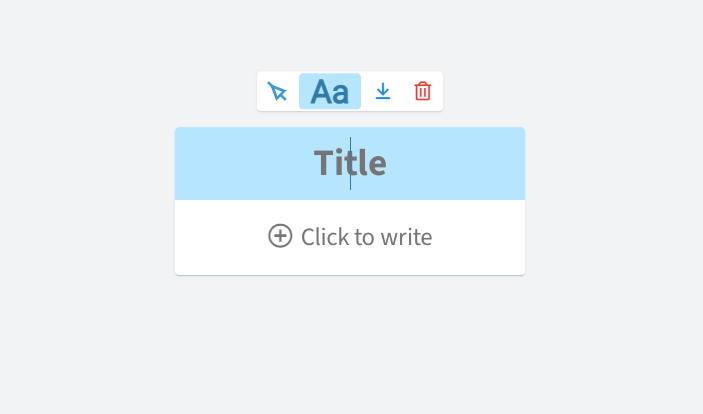
  1. Hover over a cell and click the arrow button to create a connection.
  1. You can insert URLs, images, videos, and tables.
  1. Scroll to zoom in and out. You can also move the screen by dragging it. 
  1. Click on the โ€˜shareโ€™ button in the upper right corner. You may add people to collaborate with, share the link, or publish it publicly on the OrgPad community.

๐Ÿ’ฒ Pricing Plans & Support

OrgPad offers simple pricing that suits your needs!

๐Ÿ’Ž Free – $0/Month

This useful deal is for free!

ใ€ฐ 3 documents

ใ€ฐ 100MB storage

๐Ÿ’Ž Standard – $5.99/Month

This useful deal is only $5.99 per month!

ใ€ฐ Unlimited documents

ใ€ฐ 5GB storage

ใ€ฐ 3 teams

ใ€ฐ 5 members

๐Ÿ’Ž Professional – $11.99/month

This useful deal is only $11.99 per month!

ใ€ฐ Unlimited documents

ใ€ฐ 10GB storage

ใ€ฐ Unlimited teams

ใ€ฐ Priority support

๐Ÿ“ The Competition

๐Ÿ‘ Pros๐Ÿ‘Ž Cons
๐Ÿ‘ Great looking mind maps
๐Ÿ‘ Customizable
๐Ÿ‘ Free trial
๐Ÿ‘ Collaboration
๐Ÿ‘Ž No mobile app
๐Ÿ‘Ž Paid application
๐Ÿ‘Ž Needs download

Get a simple and easy-to-use app that liberates your thinking with OrgPad

Forteยฒ: Build habits, not streaks

โš–๏ธ Our Verdict

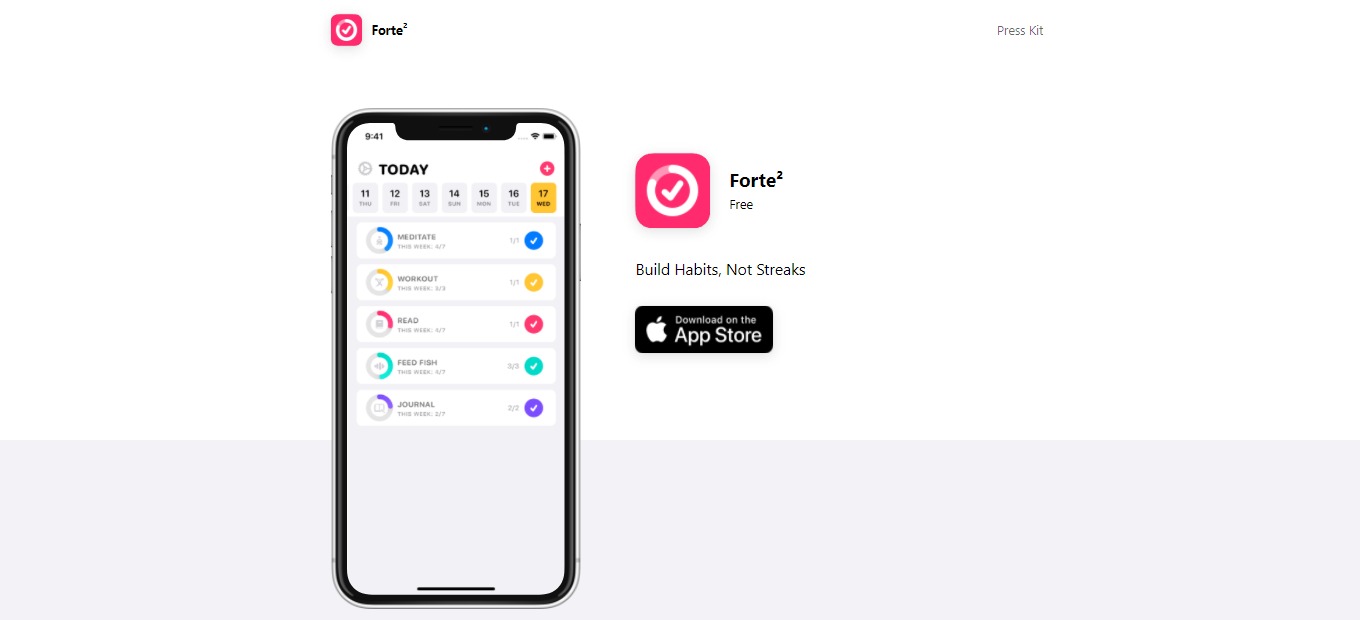
Forte is different from other habit tracking applications. Many existing applications rely on a streak for the progress of building or breaking your habits. Forte promotes more motivation for your habits since it is not based on streaks. Instead, it is based on the accomplishment of tasks. The UI of Forte is also straightforward and customizable. It is intuitive to use, even without tutorials. 

The downside of this application is that it is not available on other platforms. Forte only runs on iPhone. 

All in all, this application is intuitive to use, essential, and a simple application for building or breaking habits!

๐Ÿ‘ Pros๐Ÿ‘Ž Cons
๐Ÿ‘ Great UI and UX
๐Ÿ‘ Reminders feature
๐Ÿ‘ Scores habits instead of streaks
๐Ÿ‘ Track habits up to 100+ a day
๐Ÿ‘ Free version
๐Ÿ‘Ž iOS app only
๐Ÿ‘Ž Phone only
๐Ÿ‘Ž Limited features without in-app purchases

๐ŸŒŸ About Forte

Forte is a productivity application for mobile phones that allows you to track your habits without having guilt. It helps you track your progress while building new routines or even quitting old habits. Forte is different from other habit tracking applications as it does not set you back to zero for missing one day. Thus it only gives you a score for each habit instead of streaks.

This application was created because existing habit-tracking apps do not meet its expectations. The experience with other applications was demotivating. With Forte, you will be allowed to get back on track quickly. 

With this application, you can now track your habits and ensure a healthy relationship with them!

๐ŸŽ Whatโ€™s In It For You?

Forte allows you to track anything, from the habits you want to build to habits you want to quit. In the free version of this app, you can track up to 4 habits. To track more, you will need to subscribe to the premium version of Forte. With the premium version, you can track habits up to 100 times per day. 

Forte lets you set a weekly goal for your habits. It also allows you to set multiple reminders to keep you on track! With that, the tracking system that Forte relies on is the custom scoring algorithm that considers the habitโ€™s entire history. With this application, you can also view the details of each habit and the full calendar.ย 

With Forte premium, you can track unlimited habits, customize accent color and app icons, and support app development. Forte lets you choose from 10 vibrant color options for your application. It also allows you to choose from 175+ habit icons made by Icons8 for more customization. In addition to that, you can add a Forte widget on your iPhone screen, and the iCloud backups are automatic.

๐Ÿ–ฅ๏ธ How Does It Work?

  1. On the main screen, you can see the habits that you logged. Click the plus button on the upper right corner to add a habit.
  1. Upon clicking the plus button, add and edit the details of your habit. You may choose a color, icon, and schedule for the habit.
  1. Once added, the habit will show up on your main screen.
  1. Click on a habit for the overview and the calendar.
  1. Click the edit button to add additional changes to your habit. Here you can also archive or delete a habit.

๐Ÿ’ฒ Pricing Plans & Support

Forte provides simple and amazing pricing plans. To unlock your potential, avail yourself of the Forte Premium, and you can now form habits healthily. 

๐Ÿ’Ž Free – $0/Month

This essential and amazing deal is free!

ใ€ฐ ๏ธTrack up to 4 habits

ใ€ฐ ๏ธTrack habits 100 times per day

ใ€ฐ Set a weekly goal

ใ€ฐ Set multiple reminders

ใ€ฐ Custom scoring algorithm

ใ€ฐ Full calendar and detailed stats

ใ€ฐ 10 vibrant color options

ใ€ฐ 175+ habit icons

ใ€ฐ Widgets 

ใ€ฐ Automatic iCloud backups

๐Ÿ’Ž Premium – $4.99/Month

This essential and amazing deal is only $4.99 per month!

ใ€ฐ Everything in free version

ใ€ฐ Track unlimited habits

ใ€ฐ Customize accent color and app icon

ใ€ฐ Support development

๐Ÿ“ The Competition

๐Ÿ‘ Pros๐Ÿ‘Ž Cons
๐Ÿ‘ Gamification
๐Ÿ‘ Fun habit tracker application
๐Ÿ‘ Fully customizable task list
๐Ÿ‘ Individualize many aspects of habits
๐Ÿ‘Ž Technical
๐Ÿ‘Ž For people who seek gamification
๐Ÿ‘Ž Bugs and lags

Build habits, not streaks with Forteยฒ

mymind: A Private Place for Everything You Care About

โš–๏ธ Our Verdict

Mymind is made for busy people. It automatically organizes your thoughts for you and you donโ€™t need to be bothered with folders, systems, and labels. This is an extension of the minds of thinkers and doers.

Other note-taking programs require lots of manual structuring and organizing to be able to find things. But with mymind, the AI automatically tags your content. The AI works very well and is very accurate compared to other products in the market. Also, the search feature is exceptional and very fast.

This app is best for designers, writers, researchers, developers, and anyone that has visual minds. However, it depends on your preference, whether you like a complex system with elaborate hierarchies, or just simply adding all the content in one place. 

Overall, it’s efficient, easy to use, and an essential application for visually taking notes.

๐Ÿ‘ Pros๐Ÿ‘Ž Cons
๐Ÿ‘ AI and machine learning
๐Ÿ‘ Easily search contents
๐Ÿ‘ No need to categorize
๐Ÿ‘ Has web extension and mobile app
๐Ÿ‘ No ads
๐Ÿ‘ Privacy-focused
๐Ÿ‘ Drag and drop
๐Ÿ‘Ž Paid applicationย 
๐Ÿ‘Ž Limited to 100 cards on free trial
๐Ÿ‘Ž No structure

๐ŸŒŸ About mymind

Mymind is a web application for productivity that lets you save anything from the internet. It is a place for everything that you think of and find; be it notes, bookmarks, inspiration, images, and articles, all in one private place that is enhanced with artificial intelligence. 

An application that stores all the information that is crucial for you should be completely private. That is why mymind is focused on privacy. This application is for your eyes only and goes the extra mile in protecting the data that you store as well as the integrity of your mind.ย 

This company is run by an independent team, without stakeholders and investors that can potentially distract mymindโ€™s vision. In mymind, the ultimate question is why not. It is a different way to save, remove clutter, and a better application for productivity. 

๐ŸŽ Whatโ€™s In It For You?

Mymind allows you to save everything that you care about in one private place. This application focuses on privacy and is completely independent. Mymind also does not track your activity and does not use ads. This way, your mind can have a place that you can trust.

This application lets you save and find notes quickly. As most of our notes are quick ideas and reminders, mymind allows you to store little pieces of information without hassle. A unique way of saving things, mymind does not utilize folders and categories to save your time. It uses AI and machine learning to help you remember things easily. 

Mymind employs associative searching just like how minds work. One search of the first thing that comes to your mind will lead you to what you are looking for. Images and articles are automatically analyzed and saved with tags and concepts so you can easily search for them. No need for you to waste your time tagging and categorizing. 

It offers frictionless note-taking for short notes without distraction, and a knowledge graph that connects and links the ideas whether you do it yourself or let the app do it. Another amazing feature of mymind is the optical character recognition for images and smart bookmarking that saves a URL the way you want to view it. 

๐Ÿ–ฅ๏ธ How Does It Work?

  1. Add the mymind extension to your browser.
  1. You can drag and drop directly from your computer.
  1. The grid is automatically organized. You can adjust it according to your preference in the bottom left corner of the screen.
  1. Search for any content by typing anything that comes to your mind. You can also search for a specific file type.
  1. When you click a picture, it automatically provides the color codes as well as the mind tags. Hover over the codes and click it to copy. You can change the file name as well as add tags on the content.
  1. Save links by clicking the mymind extension.

๐Ÿ’ฒ Pricing Plans & Support

This amazing application offers a single pricing plan that covers all your needs!

๐Ÿ’Ž Mastermind – $119/Year

This helpful and essential deal is only $119 per year!

ใ€ฐ๏ธ Capture your ideas & notes

ใ€ฐ ๏ธIntelligent Bookmarks

ใ€ฐ๏ธ AI Image Tagging

ใ€ฐ๏ธ Text Clippings

ใ€ฐ๏ธ Image Text Recognition

ใ€ฐ๏ธ Advanced Image Search

ใ€ฐ๏ธ Article Analyzer

ใ€ฐ๏ธ Night Mode

๐Ÿ“ The Competition

๐Ÿ‘ Pros๐Ÿ‘Ž Cons
๐Ÿ‘ Good UI
๐Ÿ‘ Relate content with each other
๐Ÿ‘ Cheaper
๐Ÿ‘ Different view modes
๐Ÿ‘Ž Could be faster
๐Ÿ‘Ž Learning curve
๐Ÿ‘Ž Limited features on free version

Get A Private Place for Everything You Care About with mymind.

RemNote: The all-in-one tool for thinking and learning

โš–๏ธ Our Verdict

RemNote is a great substitute for other note-taking apps and flashcard apps as it has both features. It is best used and is highly recommended for students, researchers, and professionals. 

With this application, you can have higher grades as a student, link and organize ideas as a researcher, and organize your thoughts, plans, and tasks as a professional. You can now build knowledge that lasts forever especially because of the offline mode this app offers.

Although this application has many amazing features, it might be hard for a newbie to become familiarized with all of the features of RemNote. This app has a learning curve, but it is worth the time and effort as it can be very essential to your needs.

Overall, RemNote is packed with features, affordable, and an essential application for students and professionals alike.

๐Ÿ‘ Pros๐Ÿ‘Ž Cons
๐Ÿ‘ Create flashcards and notes in one app
๐Ÿ‘ Many features and versatile
๐Ÿ‘ Has a free version
๐Ÿ‘ Create a knowledge base
๐Ÿ‘ Available on web, desktop, and mobile
๐Ÿ‘Ž Complex app if inexperienced
๐Ÿ‘Ž Mobile app still in beta
๐Ÿ‘Ž Limited features on freeย 

๐ŸŒŸ About RemNote

RemNote is an all-in-one tool for both thinking and learning. It is not like other note-taking apps as it has multiple features that can help you learn, stay organized, and think. RemNoteโ€™s mission is to reinvent how people learn, think, and collaborate. 

RemNote is an MIT-born startup that came into existence due to frustrations with existing learning tools. This application was created to streamline thinking, connect ideas, and optimize learning for the long term.

RemNote is built to be an all-in-one thinking and learning workspace to help individuals and teams to organize their thinking, to master their craft, and to grow their knowledge.ย 

๐ŸŽ Whatโ€™s In It For You?

RemNote offers an all-in-one tool for learning and creating. This application goes beyond any normal note-taking tool as it also offers flashcards, PDFs, backlinks, and many more, all to help you stay organized and learn.

RemNote allows you to take notes normally; capture ideas, docs, and outlines. This application also lets you utilize smart flashcards created directly from your notes. It allows you to spend less time studying while getting higher grades. 

RemNote lets you easily highlight, reference, and link all of your source material so you do not have to switch between apps. With RemNote, you can acquire local-only knowledge bases and own your data for free!

๐Ÿ–ฅ๏ธ How Does It Work?

  1. You can freely customize your notes and write anywhere or everywhere you want.
  1. Hyperlink a word using the rem references by typing โ€œ[[โ€œ before a word that you want to link.
  1. Tag related pages that you want to be together.
  1. Rem is a bullet point; a document is a rem that is tagged with a hashtag; a folder is a document that has another document inside.
  1. Regular portals allow you to look into other notes. Changes are reflected on all sides.
  1. To use flashcards, type the first letter of the word with capital in order to make it a concept.

๐Ÿ’ฒ Pricing Plans & Support

With RemNoteโ€™s pricing guide, find the pricing plan that fits your needs the most!

๐Ÿ’Ž Free – $0/Month

This essential deal is free forever!

ใ€ฐ๏ธ Linked writing and Zettelkasten

ใ€ฐ ๏ธConvert notes to flashcards

ใ€ฐ๏ธ Personal knowledge management

๐Ÿ’Ž Pro – $6/Month

This essential deal is only $6 per month!

ใ€ฐ๏ธ Access to all features

ใ€ฐ๏ธ Early access to new features

ใ€ฐ๏ธ Priority support

๐Ÿ’Ž Life-Long Learning – $300/one-time

This essential deal is only $300 for a one-time payment!

ใ€ฐ๏ธ Access to all features

ใ€ฐ๏ธ Lifetime desktop pro access

ใ€ฐ๏ธ Cloud storage for 5 years

๐Ÿ“ The Competition

๐Ÿ‘ Pros๐Ÿ‘Ž Cons
๐Ÿ‘ Has templates
๐Ÿ‘ Highly customizable
๐Ÿ‘ Collaboration features
๐Ÿ‘ Great UI/UX
๐Ÿ‘ Databases
๐Ÿ‘Ž Limited features in free version
๐Ÿ‘Ž Lack option for visualizing data
๐Ÿ‘Ž No real offline mode

Get an all-in-one tool for thinking and learning with RemNote!

Related read: RemNote is built around spaced repetition for studying. If your notes are mostly code snippets and runbooks rather than flashcards, Boostnote fits that workflow better.

Milanote: The Notes App for Creative Work

 โš–๏ธ Our Verdict

Milanote is recommended for everyone, whether if it is for business use or personal use, this app has got you covered. With all of the features on this app, it could be of great help with your research, thinking, planning, and collaborating. All of these can be done smoothly with the use of Milanote.

It is said that Milanote is the Evernote for creatives. That is why many creative professionals from different companies use Milanote. This is a definitely interesting app for creatives, but still has some room for improvement. The customer support is great, and the creators listen to its users.

In summary, this app is essential, filled with features, and an affordable application for your note-taking needs.

๐Ÿ‘ Pros๐Ÿ‘Ž Cons
๐Ÿ‘ Essential design organizational tool
๐Ÿ‘ Elegant and simple interface
๐Ÿ‘ Flexible
๐Ÿ‘ Many features
๐Ÿ‘ Available on all devices
๐Ÿ‘ Collaboration features
๐Ÿ‘Ž Has a learning curve
๐Ÿ‘Ž Occasional bugs
๐Ÿ‘Ž Limited features in free version
๐Ÿ‘Ž Online use only
๐Ÿ‘Ž Need to sign up

๐ŸŒŸ About Milanote

Milanote is a web application for organizing your ideas and projects into visual boards. This application is a notes app for creatives. Milanote is more visual, tactile, and flexible than similar products as it tries to recreate the feeling of working on a wall in a creative studio.

This application is designed for visual people and it has a lot of features. It works well for notes and pictures related to design. When this app was first released, it was only available for web use. It is now available on desktop and mobile devices.ย 

Milanote is a flexible, creative workstation, which means it may be used in a variety of ways. Milanote is the place to begin your creative work, from brainstorming and designing mood boards to monitoring your activities.

๐ŸŽ Whatโ€™s In It For You?

Milanote allows you to become organized without sacrificing your creativity. With this app, you can collect everything in one place. Milanote lets you write notes and to-do lists, upload images and files, save text, images, and links from the web, and add notes and photos from your phone. 

With the flexible drag and drop interface, Milanote allows you to arrange things in what suits your project best. This app is not only for individual use, but it also lets you collaborate and share with your team. Milanote can be a private place to think or a shared platform for collaboration. You can edit with your team in real-time and share the result of your boards.

The best thing about this app is its flexibility as it can help you with whatever you need.

๐Ÿ–ฅ๏ธ How Does It Work?

  1. Drag out a board from the left sidebar then name it. Double click to open it.
  1. Drag out a note and start typing ideas for the project. You can type as many as you want.
  1. Group the ideas by using the column button. Drag the column from the sidebar then put the text inside the column.
  1. Drag and drop images directly from the desktop. Click the photo and add some captions.
  1. Add a new board then drag the images inside to group them together.
  1. Add a checklist from the left sidebar.
  1. You may add lines to explain your project further. 
  1. Click the share button beside the title of your board to invite others to collaborate. 

๐Ÿ’ฒ Pricing Plans & Support

Milanote has very simple pricing for a great product!

๐Ÿ’Ž Free – $0/Month

This essential deal is free!

ใ€ฐ๏ธ 100 notes, images, or links

ใ€ฐ ๏ธ10 file uploads

ใ€ฐ๏ธ Unlimited shared boards

๐Ÿ’Ž Individual – $9.99/Month

This essential deal is only $9.99 per month

ใ€ฐ๏ธ Unlimited notes, images, or links

ใ€ฐ Unlimited file uploads

ใ€ฐ Unlimited shared boards

๐Ÿ’Ž Team – $49/month

This essential deal is only $49 per month for up to 10 people!

ใ€ฐ๏ธ Unlimited notes, images, or links

ใ€ฐ Unlimited file uploads

ใ€ฐ Unlimited shared boards

ใ€ฐ Priority support

๐Ÿ“ The Competition

๐Ÿ‘ Pros๐Ÿ‘Ž Cons
๐Ÿ‘ Good collaborative experience
๐Ÿ‘ Amazing templates
๐Ÿ‘ Multiple functions
๐Ÿ‘Ž Technical to use
๐Ÿ‘Ž Some bugs

Get a notes app for your creative work with Milanote.

For developers specifically: Milanote is built for visual, creative planning. If your notes are mostly code snippets and runbooks that need syntax highlighting and offline files, Boostnote is the closer fit.

Zorbi: Make Spaced Repetition Flashcards from Notion or Chrome

โš–๏ธ Our Verdict

Zorbi should be used by every student that is struggling in studying. It is guaranteed to help you since the framework within this app is backed by science. With this app, you can ace your exams with the most efficient way to study!

Zorbi makes studying easy and fun since it has gamification elements. You can quickly use it and create flashcards for yourself and your friends. It has a great UI and is intuitive to use. Also, with the chrome extension, you can save time by creating a flashcard while studying on a pdf or website. This application is essential for any student!ย 

Zorbi is also a great alternative to other flashcard applications. It has a better UI, is easier to understand, has lots of integrations, and most importantly, it is for free, as every learning application should be!

๐Ÿ‘ Pros๐Ÿ‘Ž Cons
๐Ÿ‘ Good user interface
๐Ÿ‘ Free application
๐Ÿ‘ Backed by science
๐Ÿ‘ Integrations
๐Ÿ‘ Collaboration features
๐Ÿ‘ Good community and customer support
๐Ÿ‘ Has extension
๐Ÿ‘Ž No image occlusion
๐Ÿ‘Ž Limited customization features
๐Ÿ‘Ž No offline mode
๐Ÿ‘Ž No iOS app

๐ŸŒŸ About Zorbi

Zorbi is a tool for learning that uses flashcards to help you study. It utilizes the most effective way to learn and is backed by science; the active recall and spaced repetition methods. Most flashcard apps that use spaced repetition are difficult to use. Then, Zorbi was created to prevent problems within this field and increase the usage of effective learning techniques.

This app was originally made by students so it addresses the needs of other students. The learning techniques behind Zorbi are the effective ones that were used by the creator. Zorbi puts into practice the most effective learning methods for you!

๐ŸŽ Whatโ€™s In It For You?

Zorbi allows you to instantly create and customize flashcards even while studying since it has a chrome extension. After creating cards, this app lets you organize the content into more structured and flexible topics for better learning. 

Zorbi can be downloaded via Google Play Store and Chrome Web Store for more efficient studying. This app allows you to strengthen your memory recall by answering questions. The rating feature also determines when you will forget the question and apply certain measures to remedy that problem. 

With Zorbi, you can also collaborate on flashcards with your friends while writing notes on Notion. This integration allows you to turn them into ready-made flashcards on your Zorbi which you can also share with anyone. 

Lastly, if you do not want to create your flashcards, Zorbi has a high-quality and curated list of flashcards. Now you can absorb knowledge more efficiently while saving time. 

๐Ÿ–ฅ๏ธ How Does It Work?

  1. Click โ€œNew deckโ€. Then, fill up the necessary information as well as the color of your deck.
  1. Add a flashcard through the Zorbi app or by using the chrome extension. Fill up the information that you need, then click โ€œadd cardโ€.
  1. On the Zorbi app, click on a specific deck to see the overview of the cards.
  1. Click the review button to go over the flashcards daily or as scheduled.
  1. After finishing the review, you cannot repeat it unless you wait for the due date or reset the scheduling. 

๐Ÿ’ฒ Pricing Plans & Support

With all of the amazing and helpful features of Zorbi, it is unbelievable that this app is for free! Zorbi currently offers everything for free. Since it is a newly launched application, the creators are exploring other monetization options that will let them keep the base app free forever.ย 

๐Ÿ“ The Competition

๐Ÿ‘ Pros๐Ÿ‘Ž Cons
๐Ÿ‘ Easily and quickly make flashcards
๐Ÿ‘ Multiple ways to study flashcards
๐Ÿ‘ Available in desktop or mobile
๐Ÿ‘Ž Prompts to upgrade membership
๐Ÿ‘Ž Changes in format
๐Ÿ‘Ž Has ads

Make spaced repetition flashcards from Notion or Chrome with Zorbi

7todos: A task board for indie hackers

โš–๏ธ Our Verdict

7todos is essential for people that are working on multiple projects and are having a hard time keeping track of tasks. With all of the work stuff that you are supposed to do, it is hard to prevent your brain from cluttering. This is where 7todos come in! This app will help you get an overview and allow you to work efficiently.

Complicated tasks should not be complicated to do or to complete. With 7todos, you can keep things simple. It organizes your tasks and makes numerous projects simple. With that, you and even your colleagues can get more work done while saving time!

7todos can be used by students and professionals, basically anyone! It is a simple app, very easy to use, and an essential tool for your project management needs.

๐Ÿ‘ Pros๐Ÿ‘Ž Cons
๐Ÿ‘ Simple todo application
๐Ÿ‘ Collaboration features
๐Ÿ‘ Good user interface
๐Ÿ‘ Reminders on inbox
๐Ÿ‘ Has free version and free trial
๐Ÿ‘Ž Too overpriced for early phase
๐Ÿ‘Ž No mobile app, limited on web browser download

๐ŸŒŸ About 7todos

7todos is a task board for people who are working on multiple projects. It helps you keep track of your tasks. We all know that keeping track of everything is hard, but with 7todos, it can make your life easier. With this app, you are in control of your tasks, while lessening the struggles. It has multiple features that can help you become up and going.ย 

The principle that revolves around this app is having the goal to focus on your tasks, not just to create a to-do list. This app was created to get an overview of projects and life. Our modern lives get us working for the whole day, so 7todos was created for everyone that is struggling with managing multiple tasks. 

๐ŸŽ Whatโ€™s In It For You?

7todos allows you to get an overview of all your tasks across workspaces. You can put tasks inside a workspace and only highlight the important ones. This app also allows you to set a due date, description, and a sub to do on a task. It also allows you to set a deadline for a task to keep you working and to prevent you from cluttering your brain.

This app also lets you create a daily planner that allows you to select a task that you want to do on a day. If you wish to toggle between a classic to-do list and a kanban board, this app allows you to do that. 

What is amazing about this app is that it is not only for individuals, but you can also invite your friends to collaborate with you. Another helpful feature is the reminder for a due task that is sent to your inbox!

For the other cool features of this app, it includes dark and light mode, simple analytics, desktop app, ambient sounds, chrome extension, and break reminders! 

๐Ÿ–ฅ๏ธ How Does It Work?

  1. Spaces show your workspaces and the corresponding tasks.
  1. Click on the new todo button on a workspace to create a task.
  1. Click on the task to edit specifications. You may add a sub to-do on the bottom part. 
  1. You can create a plan for the day and select the tasks that you want to do.
  1. By clicking the icon on the upper right, you can toggle between the classic to-do view or the kanban board.
  1. Click on the icon on the top right corner and select invite. Then, select the space that you want to share. The invitation link is automatically generated.

๐Ÿ’ฒ Pricing Plans & Support

7todos offers very simple pricing for a great app!

๐Ÿ’Ž Basic- $0/Month

This amazing deal is free per month!

ใ€ฐ๏ธ Web app

ใ€ฐ ๏ธSynced across devices

ใ€ฐ๏ธ Chrome extension

ใ€ฐ๏ธ Focus mode

ใ€ฐ๏ธ 2 workspaces 

๐Ÿ’Ž Advance (Yearly) – $11.99/Year

This amazing deal is only $11.99 per year!

ใ€ฐ๏ธ Web app

ใ€ฐ ๏ธSynced across devices

ใ€ฐ๏ธ Chrome extension

ใ€ฐ๏ธ Focus mode

ใ€ฐ๏ธ 7 workspaces 

ใ€ฐ Email reminder

ใ€ฐ๏ธ Analytics

ใ€ฐ Shared workspaces

๐Ÿ’Ž Advance (Lifetime) – $19.99

Pay once with this amazing deal for only $19.99!

ใ€ฐ๏ธ Web app

ใ€ฐ ๏ธSynced across devices

ใ€ฐ๏ธ Chrome extension

ใ€ฐ๏ธ Focus mode

ใ€ฐ๏ธ 7 workspaces 

ใ€ฐ Email reminder

ใ€ฐ๏ธ Analytics

ใ€ฐ Shared workspaces

๐Ÿ“ The Competition

๐Ÿ‘ Pros๐Ÿ‘Ž Cons
๐Ÿ‘ Effective project management app
๐Ÿ‘ Templates
๐Ÿ‘ Has shortcuts
๐Ÿ‘ Collaboration features
๐Ÿ‘ Support in all browsers
๐Ÿ‘Ž Technical to learn shortcuts
๐Ÿ‘Ž Limited features on free version
๐Ÿ‘Ž Difficult to use efficiently

7todos: a task board for indie hackers

AtTrack: First modular time tracker to improve team’s productivity

โš–๏ธ Our Verdict

AtTrack should be used by any group that prioritizes productivity. It can be used by an employer, employee, or freelancer. This app is perfect for companies since it provides details on the work of each person. With AtTrack, you can now increase your companyโ€™s effectiveness and productivity!

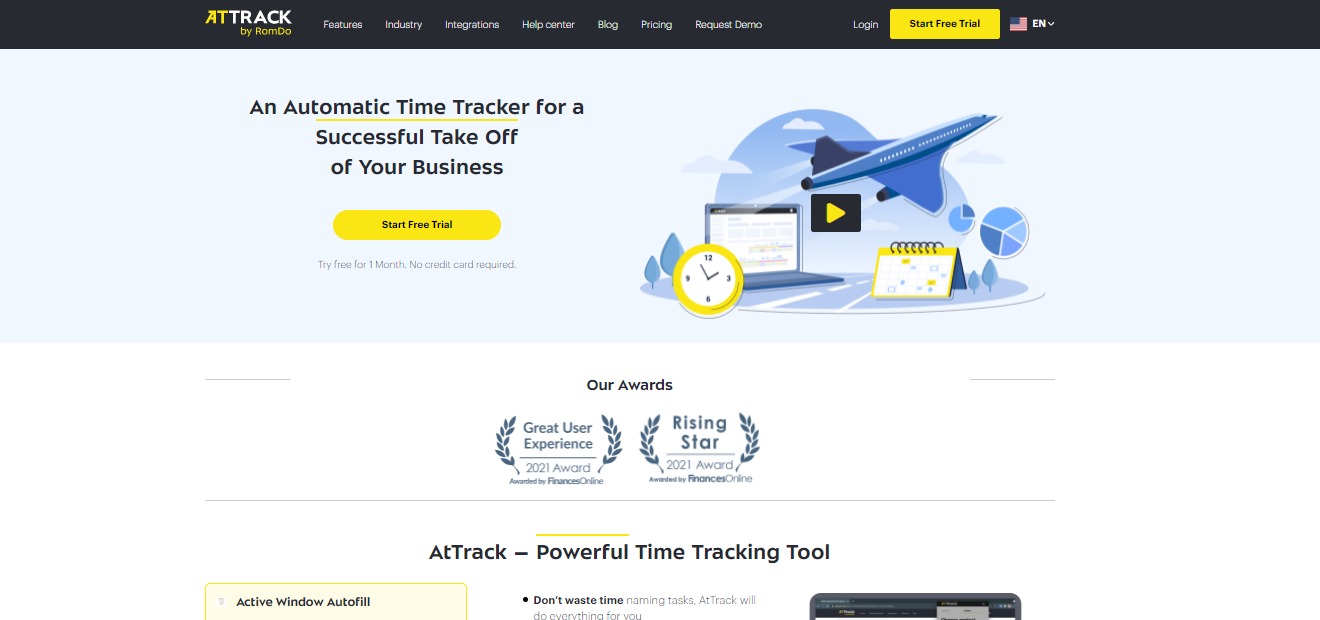
Since AtTrack is an automatic time tracking software, it helps you save time while allowing you to boost employee productivity to a greater extent. This tool also allows transparency for your remote workers. Since the pandemic hit, AtTrack should be used more by people because it is great for remote companies. 

With all of the features of AtTrack, your work will be easier as an employer or an employee. To conclude, this app is easy to use, affordable, and essential for your work needs!

๐Ÿ‘ Pros๐Ÿ‘Ž Cons
๐Ÿ‘ Has free trial, free version, and also a cheap app
๐Ÿ‘ No credit card needed for free trial
๐Ÿ‘ Easy to use
๐Ÿ‘ Good customer service
๐Ÿ‘ Simple
๐Ÿ‘Ž Needs changes in effectiveness stats UI๐Ÿ‘Ž Windows version is overlooked

๐ŸŒŸ About AtTrack

AtTrack is a time tracking tool that is used for team productivity. It is an app that lets you record the work time in tasks and projects, as well as assess the degree of activity at the computer and the apps used, and produce thorough reports of your work-related activities. It significantly improves the evaluation of tasks and projects, simplifying the process of reporting, and helps to eliminate burnout. 

When using AtTrack, the users can utilize their schedules and improve their working habits. This software makes it simpler to keep track of what is going on with your remote or office team, as well as the freelancers you work with. It is designed to be very versatile, allowing you to “create” your ideal time tracker by picking the features that are most important to you or your organization.

This app was first created for the need of a better task and project evaluation, time management for the employees, and proof of work for the clients. AtTrack became highly praised by the first users, then it has become widely available for other audiences to appreciate the application. 

๐ŸŽ Whatโ€™s In It For You?

AtTrack allows you to utilize its auto-fill active window feature that helps you keep track of the stuff that you do in any application, website, or software. Now you can spend less time switching active tasks and focus on what is actually important. With the effective time tracking feature of this app, you can make sure that your team does not waste time on impractical applications and track time more efficiently. 

AtTrack also has a team performance management feature that lets you track the time which your team spends on different tasks. Another feature of this app is the screenshots which allow you to know what your employee is doing at a certain time. With the app tracking tool, you can track how much time is spent on a specific app so you donโ€™t need to ask your employees for proof of work. 

This app also allows you to track your employeesโ€™ time even offline. With the modules feature, you can build your ideal time tracker and pay for the features that you only need. AtTrack gives you reports and invoicing as soon as possible. Lastly, Attract has integrations with popular services such as Trello and Jira.

๐Ÿ–ฅ๏ธ How Does It Work?

  1. On the projects tab, you can click on a team member to see what they are currently working on.
  1. You can use the time chart as evidence of your work. 
  1. You can also see the effectiveness of an employee on the effectivity tab that is calculated automatically.
  1. With the report tab, you can generate a report of your work. 

๐Ÿ’ฒ Pricing Plans & Support

With the AtTrack pricing plans, you can build a time tracker that is most useful to you. Choose the right rate and add modules that you need.

๐Ÿ’Ž Basic – $0/Month

This convenient tool for time tracking is free per month!

ใ€ฐ๏ธ Unlimited number of projects and users

ใ€ฐ ๏ธTime tracking for projects

ใ€ฐ๏ธ Offline time tracking

ใ€ฐ๏ธ Tracked time editing

ใ€ฐ๏ธ Auto creation of tasks

ใ€ฐ๏ธ Detailed project/task reports

ใ€ฐ 3 months of data storage

ใ€ฐ 3 months of screenshot storage

๐Ÿ’Ž Pro – $3/Month

Make your employees work more transparent for only $3 per month!

ใ€ฐ๏ธ Unlimited number of projects and users

ใ€ฐ ๏ธTime tracking for projects

ใ€ฐ๏ธ Offline time tracking

ใ€ฐ๏ธ Tracked time editing

ใ€ฐ๏ธ Auto creation of tasks

ใ€ฐ๏ธ Detailed project/task reports

ใ€ฐ ๏ธWorkday statistics dashboard

ใ€ฐ Activity levels for employees

ใ€ฐ Activity level report

ใ€ฐ 1 year of data storage

ใ€ฐ 6 months of screenshot storage

ใ€ฐ Jira and Trello integration

๐Ÿ’Ž Business – $5/month

Improve your employeesโ€™ efficiency and get all essential data for decision-making for only $5 per month!

ใ€ฐ๏ธ Unlimited number of projects and users

ใ€ฐ ๏ธTime tracking for projects

ใ€ฐ๏ธ Offline time tracking

ใ€ฐ๏ธ Tracked time editing

ใ€ฐ๏ธ Auto creation of tasks

ใ€ฐ๏ธ Detailed project/task reports

ใ€ฐ ๏ธWorkday statistics dashboard

ใ€ฐ Activity levels for employees

ใ€ฐ Activity level report

ใ€ฐ Timesheets and attendance

ใ€ฐ Individual effectiveness settings

ใ€ฐ Application usage report

ใ€ฐ Effectiveness levels for employees

ใ€ฐ Client access to data

ใ€ฐ 2 years of data storage

ใ€ฐ 6 months of screenshot storage

ใ€ฐ Jira and Trello integration

ใ€ฐ Invoicing

๐Ÿ“ The Competition

๐Ÿ‘ Pros๐Ÿ‘Ž Cons
๐Ÿ‘ Great for small and midsize business
๐Ÿ‘ Automatically tracks the programs and websites
๐Ÿ‘ Screenshots
๐Ÿ‘ Measures productivity
๐Ÿ‘Ž Updated version is not good
๐Ÿ‘Ž Export report is not in a good format
๐Ÿ‘Ž Order on report has no purpose
๐Ÿ‘Ž No editing features

Improve team’s productivity with AtTrack

Clew 2.0: A digital workspace for the future of work

โš–๏ธ Our Verdict

Clew should be used by everyone. From students and small businesses to large organizations, this app will allow the users to be more organized and productive. With Clew, you or your team can think better, plan, and do work. 

While almost everyone experiences difficulties in their work, Clew helps your work come together. All of the features of this app will allow you to have a better way to capture and organize work. 

Since this is a newly launched app, bugs are inevitable. However, the customer service is really helpful and quickly replies through the chat block. 

If you are struggling with loads of work, this app will help you stand on your feet and accomplish all the tasks that are due. Overall, this app is easy and intuitive to use, free, and essential for your daily work.

๐Ÿ‘ Pros๐Ÿ‘Ž Cons
๐Ÿ‘ Free app
๐Ÿ‘ Collaboration features
๐Ÿ‘ Many integrations
๐Ÿ‘ Easy and intuitive to use
๐Ÿ‘ Available on web and desktop
๐Ÿ‘ Search and graph view
๐Ÿ‘ Chat box
๐Ÿ‘Ž Has bugs
๐Ÿ‘Ž Need to upload images instead of paste
๐Ÿ‘Ž Limited customization on colors
๐Ÿ‘Ž Billing system is unclear

๐ŸŒŸ About Clew

The website Clew is a place to visualize, document, and archive everything work-related. It is like a digital brain where all of your work in different sources is compiled. This app is a central hub for workplace productivity. Clew catches the context of every idea or project, reveals what is needed, and preserves what is significant.

Indeed, Clew was created to impact the work lives of people by building tools that help them during the most stressful times. Since past tools have failed to catch up to how people work today, Clew is a better way to help you become more organized and do the best work of your life. 

This app promotes flexibility, focus, momentum, productivity, and great experience. It gives you a better way to capture and organize work by making documentation, collaborating, and finding information easily. 

๐ŸŽ Whatโ€™s In It For You?

Clew allows you to quickly search across all of your tools. When everything is searchable and shareable from a single tool, there’s no need to sift through applications and files, making you save more time and effort. Instead of having to remember which application a certain file is in, Clew allows users to do a single search across Google Drive, Github, Figma, Dropbox, and other services.

With Clew, you can unload all the work that you are keeping track of in your head, files from other tools, or context in messages. Clew also gives you a summary of all your outstanding tasks, events, and projects. It provides you with a search engine for your work by building a knowledge graph that links your work together. 

Additionally, Clew lets you organize your work hierarchically and spatially through the flexible canvas editor, discuss and chat where your work happens, track to-dos, and have access to consolidated notifications and daily agenda. 

What is amazing about this app is that it also lets other people collaborate with you so you do not need to switch from other apps. It is an all-in-one organizational tool to help you and your colleagues be more productive. 

๐Ÿ–ฅ๏ธ How Does It Work?

  1. Drag across the canvas to place a block.
  1. Select the type of block that you want. 
  1. You can arrange the blocks according to your liking for a more organized canvas.
  1. Resize the blocks by dragging the bottom right corner. 
  1. Select the conversation to create a chat block on your canvas. 
  1. Click the integration marketplace button on the lower left to connect your accounts for integrations.

๐Ÿ’ฒ Pricing Plans & Support

As amazing as it gets, Clew is currently free on beta! All of the features of this app can be utilized by everyone.

๐Ÿ“ The Competition

๐Ÿ‘ Pros๐Ÿ‘Ž Cons
๐Ÿ‘ Available on mobile, web, and desktop
๐Ÿ‘ Complex task tracking
๐Ÿ‘ Templates
๐Ÿ‘ Good customer support
๐Ÿ‘ Integrations
๐Ÿ‘Ž Technical to use
๐Ÿ‘Ž Paid application
๐Ÿ‘Ž Not fit for small tasks

Create a digital workspace for the future of work with Clew

Rize: An intelligent time tracker that makes you more productive

โš–๏ธ Our Verdict

Existing time trackers are mostly concerned with categorizing the time you’ve tracked, and others aren’t even automatic. With Rize, it takes a step further to use the data and help you work smarter and efficiently. Nowadays, we are faced with the consequence of burnout and inefficiency. But with Rize, you can manage your time and prevent yourself from overworking.

Rize offers an in-depth analysis of what you are doing during working hours. In that way, you can utilize your time wisely and change your messy habits into more productive ones. Amazing features come with this app and can further develop your working habits. It even has a timer so you donโ€™t have to switch between an app that can provide the same service to you. 

Rize is designed for people who value their time and want to increase their overall productivity. With Rize, you will be able to know how you spend your time, improve your focus, and build better habits all for a very affordable price!

๐Ÿ‘ Pros๐Ÿ‘Ž Cons
๐Ÿ‘ Good user interface
๐Ÿ‘ Clear and centralized overview
๐Ÿ‘ Precise time tracking
๐Ÿ‘ Can work on multiple devices
๐Ÿ‘ Customizable
๐Ÿ‘ Can work even offline
๐Ÿ‘ Google calendar integration
๐Ÿ‘ Good security
๐Ÿ‘Ž Paid application
๐Ÿ‘Ž 14-day free trial only
๐Ÿ‘Ž MacOS only
๐Ÿ‘Ž Connects to other services without consent

๐ŸŒŸ About Rize

Rize is an intelligent time tracker tool that helps you strengthen your work habits. It encourages you to be more concentrated and productive, allowing you to have more control over your workday, thus forming better habits. This app is built on Cal Newportโ€™s philosophy on productivity, regarding the value of deep work being valuable and rare nowadays. In order to cultivate deep work, we need to understand how our habits impact the time we spend on our tasks. 

Rize keeps track and categorizes all of the work activities in real-time. Understand how you spend your time, how to recover focused time, and how to make the most of your breaks and meetings. 

๐ŸŽ Whatโ€™s In It For You?

Rize allows you to create custom categories that help you gather better insights as to how your time is spent. It automatically notifies you when to take a break based on your activity without the need for Pomodoro timers. Rize also shows you what apps or websites interrupt you the most when you are working. 

This app has a google calendar integration that allows you to create better categorization rules around your meetings. You can also tag blocks of time with project tags in order to segment how you spend your time. After a day’s work, you will receive a daily email report of your time breakdown and productivity metrics. Rize calculates a daily score for you based on in-depth, customizable metrics, allowing you to quantify and monitor your focus.

Rize also notifies you once you have worked for a specific number of hours in a day to prevent burnout. You can set a schedule as to when to start and stop tracking your work activity. Rize automatically categorizes your meetings based on specific keywords. Lastly, it shows you a report on the project that you have been working on.

๐Ÿ–ฅ๏ธ How Does It Work?

  1. Open the dashboard. You can see the timeline on the top.
  1. The break timer makes sure you are taking enough breaks. You can customize the break timer. It shows the break-to-work ratio and the notification settings. Rize can detect that you are taking a break if you are idle. 
  1. The activity section shows you a real-time feed of your tracked time.
  1. Workblocks section shows sessions of time when Rize detects that you are focused on a specific type of work. You can also see the details including the interruptions on your work, focus time, and context switching. Rize automatically categorizes your work, but you can edit it to specifics.
  1. You can assign session time to projects and it will automatically show below.
  1. Click the project to show analytics.
  1. The top right section shows you how much time you worked for the day and notifies you when you reached 100%. The tme breakdown also shows 3 main areas.
  1. The category breakdown shows all of the time split between categories. You can specifically click on one category to view it on the timeline.

๐Ÿ’ฒ Pricing Plans & Support

Rize is a paid app that offers simple pricing to their product!

๐Ÿ’Ž Annual Billing – $9.99/Month

This amazing deal for Rize is only $9.99 per month!

ใ€ฐ๏ธ Customizable categories

ใ€ฐ ๏ธSmart break notifications

ใ€ฐ๏ธ Interrupters and Context-Switching

ใ€ฐ๏ธ Google Calendar Integration

ใ€ฐ๏ธ Project Tagging

ใ€ฐ๏ธ Daily Email Report

ใ€ฐ๏ธ Work Hours Notification

ใ€ฐ๏ธ Automated Tracking Hours

ใ€ฐ๏ธ Meeting Categorization

ใ€ฐ๏ธ Project Analysis

๐Ÿ’Ž Monthly Billing – $14.99/Month

This amazing deal for Rize is only $14.99 per month!

ใ€ฐ๏ธ All of the features in Annual Billing

๐Ÿ“ The Competition

๐Ÿ‘ Pros๐Ÿ‘Ž Cons
๐Ÿ‘ Free app
๐Ÿ‘ Good features 
๐Ÿ‘ Easy to use
๐Ÿ‘ Shows reports
๐Ÿ‘Ž Miscalculated time
๐Ÿ‘Ž Difficult to edit time
๐Ÿ‘Ž Bugs and crashes

Be more productive with Rize!