Loom: The fastest way to record and share videos at work

βš–οΈ Our Verdict

Loom is the top async video messaging platform. Designed for efficiency and ease, you can shoot, upload, and interact with videos to advance business whether you’re at your office or on the go.

It’s never been simpler to record and share videos from the comfort of your own home. To shoot a Loom video, launch Chrome on your desktop. Keep your clients informed, establish and sustain your company’s culture, and deliver product feedback to your crew with ease. Loom is used by individuals to communicate both internally and externally. 

All in all, it’s an efficient, simple, and affordable platform for recording videos to update your team!

πŸ‘ ProsπŸ‘Ž Cons
πŸ‘ Screen recording made simple with a webcam overlay 
πŸ‘ Videos are uploaded immediately for quick sharing
πŸ‘ Edit videos manually
πŸ‘ Intuitive UI for recording and viewing
πŸ‘Ž Many providers provide comparable functionality for less money
πŸ‘Ž Videos are public by default
πŸ‘Ž Cannot blur the background when self-recording

🌟 About Loom

Work, generally, and working remotely in particular, is all about communicating. It’s natural to gravitate to real-time communication, whether that means frequent gatherings or ongoing Slack chats. Loom is distinct among online collaboration tools in that it focuses only on asynchronous video communication.

Loom is a video creation tool that enables enterprises to enhance workplace communication by using video or video capture capabilities. It enables users to use the web-based interface to record screens or capture front-facing camera footage and distribute them with peers through a shareable link.

The advantage of Loom is its simplicity: tap record, create your video, and it’s instantaneously published and ready to be shared. Now you can connect with ease, without losing hours of productivity on ineffective meetings!

🎁 What’s In It For You?

Loom lets you record your screen and camera, or choose only the necessary. It works easily on any device using the Loom desktop app and mobile app, and even the Chrome extension. After recording, Loom lets you share your recording instantly by pasting a link to your video wherever your recipients are. The recipients can view the recording without creating an account.Β 

Furthermore, Loom keeps the conversation going. It lets you use emoji reactions, interactive features, and time-stamped comments to respond to videos, making your team connected and engaged. With this application, it enables you to save time by cutting down almost 30% of time spent on meetings. With that, you can focus on what’s important and achieve a goal with your team.

πŸ–₯️ How Does It Work?

  1. Click the Loom web extension. 
  1. Select the specifics of what you will record.
  1. The advanced settings show the input devices and other settings. Hit record after done with the settings.
  1. Click the check button on the lower left to finish recording.
  1. Edit the video in the editing window where you can adjust your video and share the link.

πŸ’² Pricing Plans & Support

Loom offers different plans that fit your needs.

πŸ’Ž Starter – Free

This deal for quick video messages is free!

γ€° Up to 50 Creators lite

γ€° Up to 25 videos/person

γ€° Up to 5 mins video

γ€° Screen recording and cam bubble

γ€° Instant editing

γ€° Unlimited transcriptions

γ€° Privacy controls

γ€° Viewer insights

πŸ’Ž Business – $8/Month

This deal for advanced recording and analytics is only $8 per month per creator!

γ€° Everything in Starter

γ€° Unlimited creators, videos, and recording length

γ€° Up to 50 creators lite

γ€° Custom branding

γ€° Engagement insights

γ€° Embed links in video

γ€° Password protected videos

γ€° Video uploads

πŸ“ The Competition

πŸ‘ ProsπŸ‘Ž Cons
πŸ‘ robust and technologically advanced whiteboard solution
πŸ‘ many CMS integration
πŸ‘ Real-time editing
πŸ‘Ž Complex mobile UI
πŸ‘Ž Overwhelming features

The fastest way to record and share videos at work is through Loom!

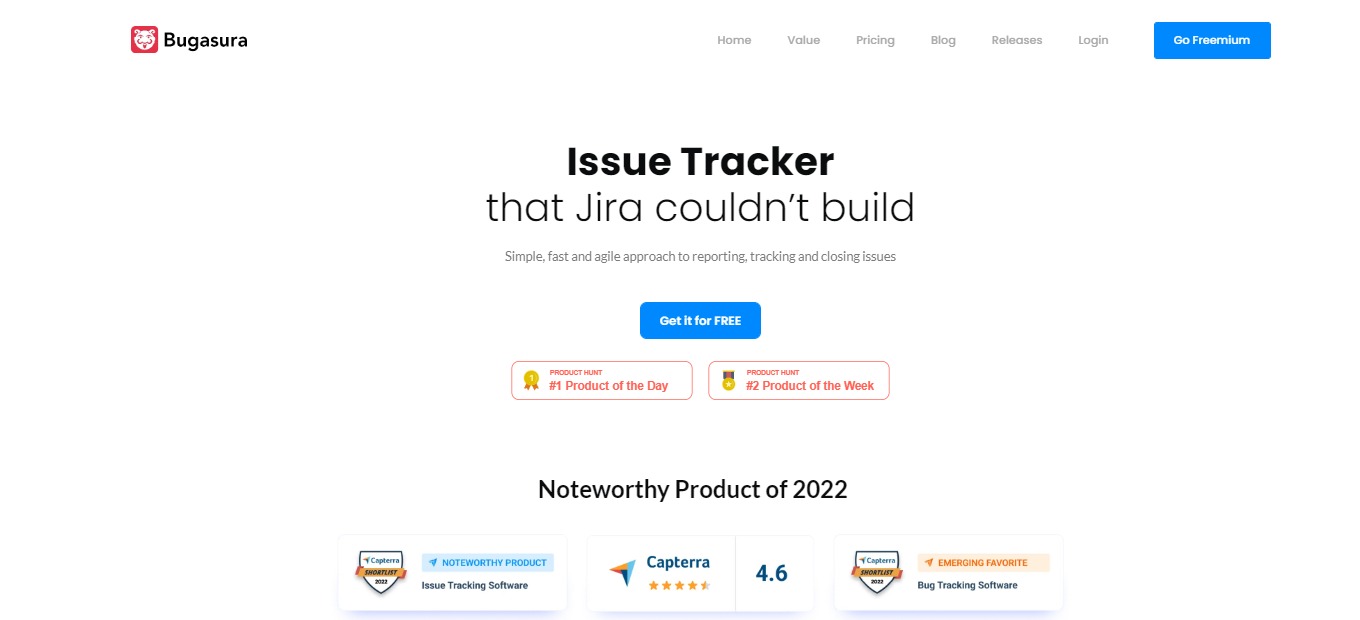
Bugasura: Issue tracker for fast moving, modern tech teams

βš–οΈ Our Verdict

Bugasura.io is a simple and collaborative bug-tracking platform that enables developers, testers, and product teams to report and close issues more quickly. It is simple, quick, and allows you to customize procedures and focus on issues and bugs that need to be handled right away.

This tool is best for fast-moving teams of small to medium-sized businesses. The simplicity and modernity of this tool make it better than other applications in the market. Furthermore, it is a simple, graphic, and collaborative bug tracker that will make your life a lot simpler.

Overall, it’s a modern, simple, and useful application for bug-tracking and site-monitoring needs.

πŸ‘ ProsπŸ‘Ž Cons
πŸ‘ Simple and modern bug-tracker
πŸ‘ Collaborate with team
πŸ‘ Integration with Asana, ZenDesk, Jira, Lambdatest, and Slack
πŸ‘ Compatible with web, mobile, and native apps
πŸ‘Ž Minor issues when integratingΒ 
πŸ‘Ž Loading time
πŸ‘Ž Kanban view lacks flexibilityΒ 

🌟 About Bugasura

Bugasura is the problem tracker that Jira was unable to create. It is a straightforward, quick, and agile way to report, track, and resolve issues. It’s a bug tracker that is focused on assisting to fix bugs while filtering out all the unwanted noise.

Bugasura is a modern-day tool that is built for collaboration. This tool was built because current bug trackers in the market are not doing their job well. With that, Bugasura does the job well in a fast and simple manner.Β 

Individuals all over the world use it as an issue and bug tracker for numerous projects. People like it because it is straightforward and efficient, and allows them to personalize workflows and concentrate on problems and bugs that need to be fixed immediately.

🎁 What’s In It For You?

Bugasura features a modern tool that allows you to track and manage issues with ease; modern software requires a modern tool. Additionally, Bugasura is a fast application, letting you get ahead of the competition. With this application, you can close issues faster!

Bugasura is a social-first issue tracker that is integrated with different social tools like Slack, Gmail, GitHub, WhatsApp, and more. Furthermore, this tool adapts minimalism, allowing you to focus with just enough features that do the job well.

This application is the fastest way to report issues. With Bugasura, you explain less and show more. Lastly, this tool can be a bug tracker for your apps on different platforms. 

πŸ–₯️ How Does It Work?

  1. Name and organize your projects.
  1. Add and manage issues on each project. 
  1. View analytics and get a visual overview of the issues.
  1. Integrate with other tools.
  1. Monitor vitals and performance.
  1. Customize issue statuses and add member assignees.

πŸ’² Pricing Plans & Support

Pay as you grow with Bugasura’s simple pricing!

πŸ’Ž Free – $0/Month

Come together and fix bugs in a modern way for free!

γ€° 5 users

γ€° Unlimited projects

γ€° Issue tracker

γ€° Mail integration

γ€° Slack integration

γ€° Jira integration

γ€° Chrome reporter

γ€° Android reporter

γ€° Email support

πŸ’Ž Pro – $5/Month

Ship faster with this modern tool for only $5 per month per user!

γ€° Everything in free

γ€° 100 users

γ€° Chat support

γ€° Priority updates

πŸ“ The Competition

πŸ‘ ProsπŸ‘Ž Cons
πŸ‘ Integration with GitHub and other significant apps
πŸ‘ Easy to use. Fast application
πŸ‘ User-friendly features
πŸ‘ Search and filter feature
πŸ‘Ž Not ideal pricing plan
πŸ‘Ž Lacks prioritization feature

Issue tracker for fast moving, modern tech teams with Bugasura!

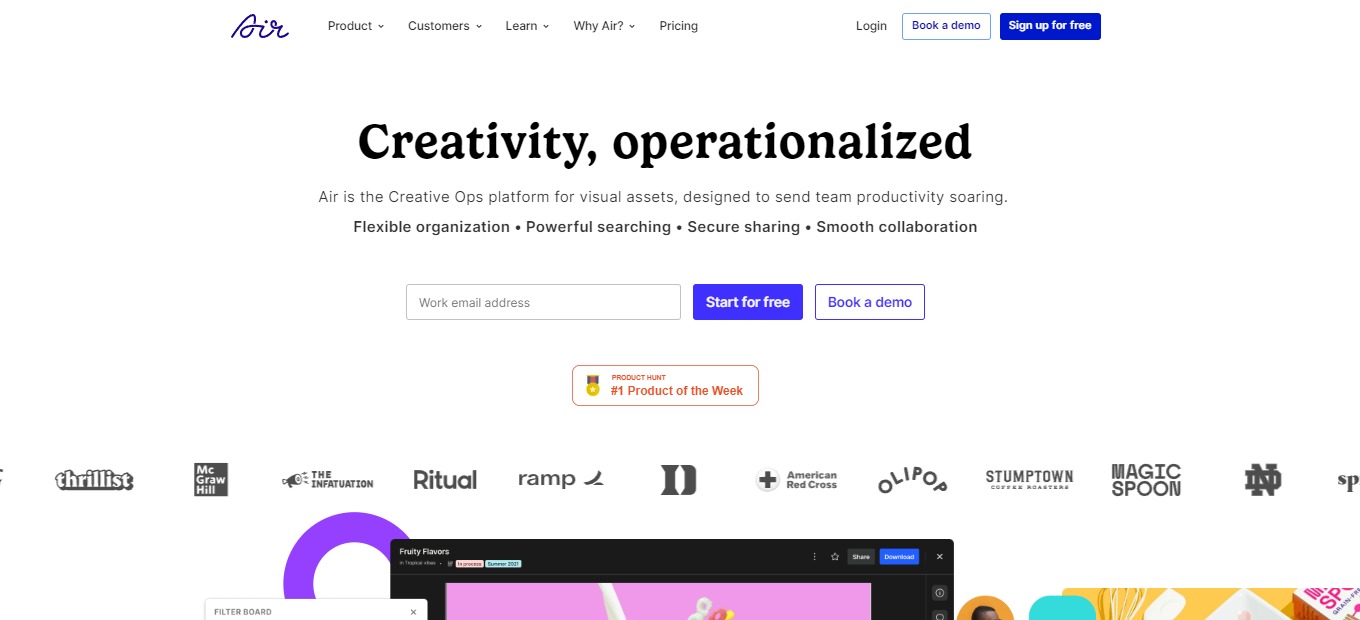
Air for Teams: The Fastest Way to Find, Store, and Share Content

βš–οΈ Our Verdict

Air is your brand’s clean, straightforward workspace; it serves as the headquarters for everything from brand guidelines to campaign deployment. With the complete capability of a Digital Asset Management platform intended for creative work, you can store, manage, and use all of your organization’s assets. 

Air is a good option for teams who require a centralized mechanism to share and comment on photographs for social networking, marketing, advertising, and other purposes, however, it has some clear potential for development. It’s easier to use for photographs and videos than other generic cloud storage services, but it doesn’t appear to be as developed as some other collaborative tools.

Overall, Air is a complete, functional, and helpful application for managing your online assets effectively!

πŸ‘ ProsπŸ‘Ž Cons
πŸ‘ Collaborate on visual assets by sharing and commenting
πŸ‘ Good UI and UX
πŸ‘ Smart photo tagging

πŸ‘Ž URL import of image not supported
πŸ‘Ž Limited app integrations
πŸ‘Ž Cannot mark up or pin comments

🌟 About Air

Air is the best creative collaboration center for your team’s assets. It’s a visual workspace where you can quickly save, distribute, organize, and complete your work. Say farewell to legacy applications such as Dropbox and Google Drive.

Air is an online collaboration tool that combines elements from cloud storage and communication apps to make working with visual content easier. It is not intended for artist and designer collaborations; rather, it is intended for marketers and social media managers who use a final copy of graphics in their job. Air comes with sophisticated technologies like automated picture tagging and allows you to upload images instantly or import them from cloud storage providers.

🎁 What’s In It For You?

Air lets you navigate your workspace like a search engine. With built-in tools like image identification and smart tag keywords, you can locate the item you’re looking for in seconds. Air enables users to connect feedback to any resources, along with precise commentary and timestamp options, for greater clarity and alignment.

You may utilize the Kanban view to set categories for your materials and visualize your performance. View the assets’ progress of your team from ready for review to requiring revisions to authorized. Air also features an assets version capability that allows you to keep the creative process under control. Allow your whole team to see new changes and keep all iterations in one location.

Stop concealing your materials in nested folders and zip files and start using the visual workspace. Air lets you appreciate a visual user experience tailored to your workflow. Lastly, Air has integrations with Canva, Adobe Premiere Pro, and Slack.

πŸ–₯️ How Does It Work?

  1. A demo board is shown in your workspace for inspiration.
  1. Change the settings.
  1. Access, organize, and render assets on the boards. Assets can be tagged on different boards.
  1. Change the board view.
  1. Share content by generating a URL.
  1. Edit permission settings for members.

πŸ’² Pricing Plans & Support

With Air, you can get started for free and upgrade as you and your organization grow!

πŸ’Ž Free – $0/Month

This is ideal for individuals or small projects. Everything you need to get started is completely free!

γ€° 25GB storage

γ€° Up to 3 members

γ€° Import from Google Drive, Dropbox, and Box

γ€° Visual support for images, videos, PDFs, PPTs, and more

πŸ’Ž Plus – $10/Month

Ideal for small groups or freelancing work. Manage additional assets and create easy workflows for as little as $10 per month! 

γ€° Everything in Free

γ€° 200GB storage

γ€° Pay per seat

πŸ’Ž Pro – $25/month

Ideal for developing teamwork. More collaboration space and freedom for just $25 per month!

γ€° Everything in Plus

γ€° 2TB storage

γ€° Password protected share links

γ€° Priority support

γ€° Comment-only members and guests

πŸ“ The Competition

πŸ‘ ProsπŸ‘Ž Cons
πŸ‘ Flexible and easy to set up
πŸ‘ Flat monthly price for unli users
πŸ‘ Multiple integrations
πŸ‘Ž Issues with communication
πŸ‘Ž Limited reports
πŸ‘Ž No proofing feature

The fastest way to find, store, and share content is Air!

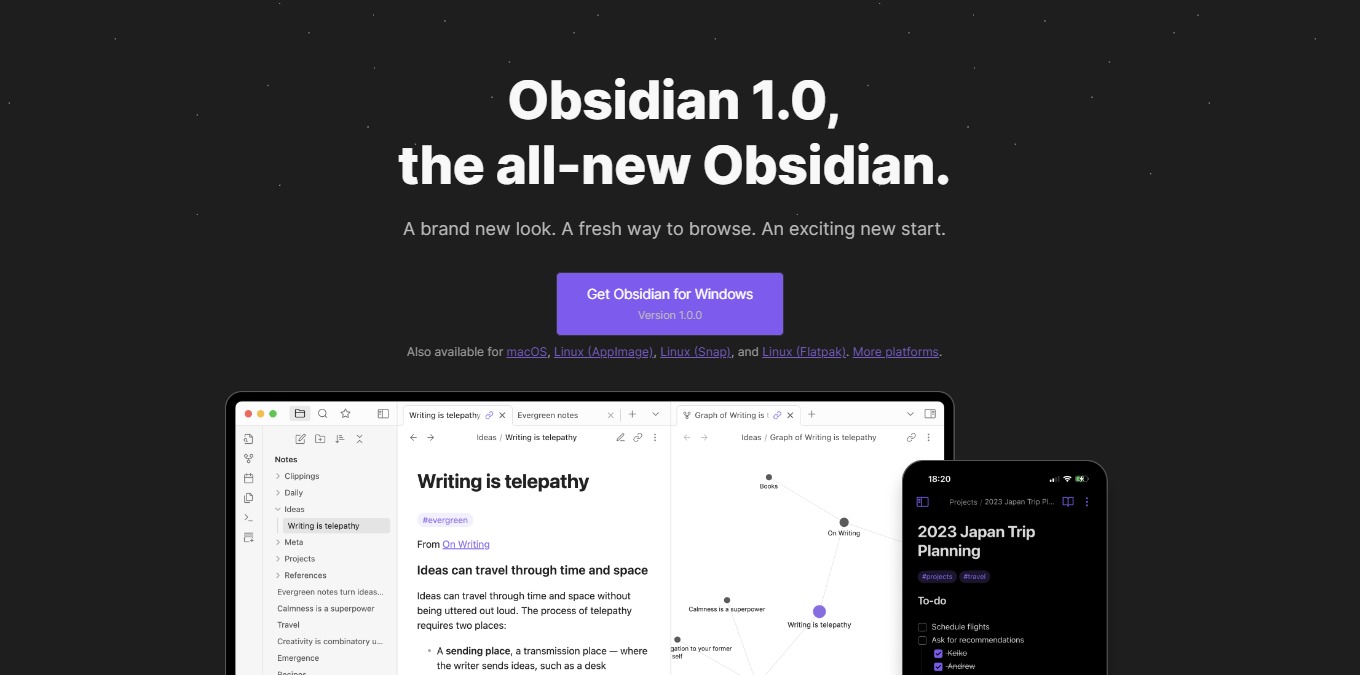
Obsidian 1.0: A Brand New Look, A Fresh Way to Browse, A New Start

βš–οΈ Our Verdict

The Obsidian app makes taking notes enjoyable, even for free users. It has a robust feature set that you’re likely to enjoy, as well as a clean, easy-to-use interface. However, there are a few drawbacks, such as limited customer support and the lack of a web version. 

Obsidian is best used by writers, students, professionals from different fields, and any other individual who wishes to take notes smoothly and efficiently. It has a low learning curve since it is simple and quick to take notes and concepts in Obsidian. Simply launch the app, create a new note, and begin typing. Obsidian is an effective note-taking app that also serves as a private system for managing knowledge. It is dependent on how you treat note-taking, composing, and research.

To sum it all up, it’s an easy-to-use, essential, and helpful application for note-taking and knowledge management.

πŸ‘ ProsπŸ‘Ž Cons
πŸ‘ Available on PC or mobile
πŸ‘ Compatible with Windows, macOS, Linux, Android, and iOS
πŸ‘ Can work offline
πŸ‘ Simple and secure notes
πŸ‘ Smooth writing experience
πŸ‘ Good community
πŸ‘Ž Needs download

πŸ‘Ž Only plain text without formatting options
πŸ‘Ž Tedious setup

🌟 About Obsidian

Obsidian was created in response to a lack of a suitable note-taking app and dissatisfaction with existing solutions. With three primary considerations: local-first and simple text; links as a priority; and the ability to be highly extensible.

Obsidian is a fresh note-taking app on the market that allows you to gather your networked ideas in one place utilizing links. Despite it being new, it has amassed a sizable user base, with a large percentage of them commending it as a useful note-taking tool. 

Obsidian is a bi-directional note-taking tool relying on plain text markdown information stored in a local directory, providing your notes with the security and longevity they require.

🎁 What’s In It For You?

Obsidian lets you create a vault which is a location on your device where the app can store notes and settings inside the app. With that, note-taking will not require an internet connection for it to be efficient. With Obsidian, you can create simple notes using plain text. This is an advantage for people valuing the content rather than the aesthetics.

Once you create a note, this app allows you to save it on your local device and open it at any time for viewing and editing. Obsidian also allows you to sync your notes across any device, enabling you to view and edit just by logging in. 

Obsidian lets you open notes in tabs allowing you to explore many ideas at once! Just like how the brain works, the tabs feature replicates it. Additionally, this app allows you to make and follow frictionless connections with the graph view, backlinks, and outgoing links. 

πŸ–₯️ How Does It Work?

  1. Click the new note button and change the title. 
  1. Start typing on the new note.
  1. On the local device, you can view the note created on Obsidian.
  1. Create a new note and link other notes to it by typing β€œ[]”.
  1. Create a potential new note by highlighting a word and putting a bracket on it.
  1. View backlinks by clicking the right-side panel.
  1. Open the graph view on the left button.

πŸ’² Pricing Plans & Support

Obsidian offers very simple pricing with substantial benefits!

πŸ’Ž Personal – $0/Month

This essential deal is free!

γ€° No account or sign-up required

γ€° Access to plugins and API

γ€° Community support

πŸ’Ž Catalyst – $25

This essential one-time payment deal is only $25!

γ€° Support development

γ€° Early access to insider builds

γ€° Special badges in community

γ€° Access to exclusive dev channel

πŸ’Ž Commercial – $50/Year

This essential deal is only $50 per year!

γ€° 14-day free trial before payment

γ€° Commercial use

γ€° Priority support

πŸ“ The Competition

πŸ‘ ProsπŸ‘Ž Cons
πŸ‘ Integrated templates
πŸ‘ Organize notes and dashboard
πŸ‘ Collaboration features
πŸ‘ Compatible across different devices
πŸ‘Ž Need to pre-load pages to use offline mode
πŸ‘Ž Learning curve
πŸ‘Ž Text formatting issues

Get a brand new look, a fresh way to browse, a new start with Obsidian 1.0.

SpatialChat 3.0: All-in-one space for collaboration, all-hands and networking

βš–οΈ Our Verdict

Virtual meetings are becoming a thing nowadays. With the features of SpatialChat like the workspace, virtual room with proximity feature, stage, and whiteboard, creating events or remote meetings has never been easier. SpatialChat serves the purpose of providing different teams with space for collaborating, staying in touch, and being socially present.Β 

Teams of any size can utilize this tool to make their online meetings efficient and fun. Ranging from a startup to a large enterprise, they can implement their use case including stand-ups, meetings, all-hands, and workshops. SpatialChat does not only focus on meetings but can also provide an avenue for online events!

In summary, it’s a feature-rich, engaging, and essential tool for conducting online meetings and events!

πŸ‘ ProsπŸ‘Ž Cons
πŸ‘ No account needed
πŸ‘ Has whiteboard collaboration feature
πŸ‘ Customizable room with different features
πŸ‘ Stage and virtual room with proximity feature
πŸ‘Ž Requires a good device to work smoothly
πŸ‘Ž No waiting room
πŸ‘Ž Limited features on free plan

🌟 About SpatialChat

SpatialChat is an online workspace allowing remote teams to conduct synchronous work from any location, at any time. SpatialChat is ideal for real-time collaboration. Increase the impact of team meetings, all-hands meetings, and social gatherings – the metaverse is coming closer.

The metaverses that replace the physical office are causing quite a stir. SpatialChat, a fantastic online gathering tool, has evolved into a coworking place for many online teams. Visual interaction allows us to connect on a more personal level. 

SpatialChat 2.0 has identified an advantage in recreating spontaneous workplace interactions that help form relationships by making it as near to being co-located as possible. 

🎁 What’s In It For You?

SpatialChat lets you utilize the workspace where you can easily collaborate with team members. It lets you embed your favorite whiteboard or share screens all at the same time. Furthermore, SpatialChat allows you to improve your team communication by designing virtual rooms and interacting in real video bubbles, creating an immersive experience.

Additionally, this app enables you to run all-hands for the team using the stage feature. Here you can host live sessions on stage with presentations and reactions from participants. Aside from that, your security is ensured with a high level of data protection. Lastly, SpatialChat lets you integrate seamlessly with your favorite services!

πŸ–₯️ How Does It Work?

  1. Create an event by entering the URL. Add your name and about yourself.
  1. Click the settings to edit the event. You can copy the link here and share it with other people. 
  1. In the spatial room, drag your icon to move around and talk to other participants. 
  1. Click on a participant to move to them.
  1. On the stage, you can become a speaker or a listener. A listener can react with emojis and chat messages.
  1. The workplace room lets you draw together with other participants.

πŸ’² Pricing Plans & Support

SpatialChat offers the best pricing plan that works best for your purpose

πŸ’Ž Free – $0/Month

Get your team up and running quickly for free!

γ€° Unlimited time

γ€° 5 team members

γ€° 1 space

γ€° 3 rooms per space

πŸ’Ž Regular – $6/Month

Collaborate often within your team with unlimited members for only $6 per month!

γ€° Everything in free plan

γ€° Up to 10 spaces

γ€° Private spaces

γ€° Up to 5 call recordings

πŸ’Ž Custom – $/month

High flexibility and control for a custom pricing!

γ€° Everything in regular

γ€° Custom logo and domain

γ€° SAML SSO

γ€° Priority support

γ€° Custom documentation

γ€° Unlimited stage recordings

πŸ“ The Competition

πŸ‘ ProsπŸ‘Ž Cons
πŸ‘ Move between meetings easily
πŸ‘ Real-life virtual office
πŸ‘ Good support
πŸ‘ Great interface
πŸ‘Ž Limited customizationΒ 
πŸ‘Ž No whiteboard

All-in-one space for collaboration, all-hands and networking with SpatialChat

Typed: Next-generation document editor and collaboration tool

βš–οΈ Our Verdict

Typed streamlines your workflow by automatically connecting ideas, organizing files, and even analyzing findings. It is a document collaboration solution that helps you accomplish more as an individual or as a team. Typed guarantees that the process from beginning to end may be saved within the page – allowing you and your team to keep context.

All of the features make this tool essential for founders, investors, students, and creators. Individuals and teams can use Typed to create documents that are organized for them and work the way they should.

All in all, it’s an essential, easy-to-use, and helpful tool for creating streamlined documents for teams and individuals. 

πŸ‘ ProsπŸ‘Ž Cons
πŸ‘ Small learning curve
πŸ‘ Google integration
πŸ‘ Resource library
πŸ‘ Easier workflow
πŸ‘ Collaboration feature
πŸ‘ AI recommendation
πŸ‘Ž Has lags and bugs
πŸ‘Ž Mobile app is new and needs improvement
πŸ‘Ž Lacks other integrations

🌟 About Typed

Typed is a collaborative document solution that improves cooperation by combining your team’s different documents and workflows. It is a document editor and collaboration application that innovates knowledge management by acting as your team’s second brain thanks to some exceptionally intelligent capabilities and AI.

The objective of Typed is to make jobs easier, more productive, and far more enjoyable. Typed, an official Google partner, is utilized in over 100 countries, especially by IT entrepreneurs and company owners.

This application has revamped the way the customers collaborate at Typed by linking their files and giving them much more control. You may now boost your productivity by using a program that automatically organizes your documents!

🎁 What’s In It For You?

Typed offers a lot of features that make your team work smarter and more efficiently. This app is integrated with Google which lets you import all documents from your Google account. That way, you can work in Typed and it will be automatically added to your Drive on a shared folder. Additionally, the document editor in Typed looks similar to Google workspaces but with additional key features. 

Typed enables you to utilize the resource library, which is included in every document created in Typed. It lets you add other documents, resources, files, etc. from the internet or even your local drive. Furthermore, this application recommends relevant resources from your past documents to help you become more efficient.Β 

Typed allows you to view your resources contextually rather than in a hierarchical manner. You can also view a mindmap of how your documents are connected and related to each other. This helps you gain essential insights about your work and allow you to locate files easier.

Lastly, Typed has a lot of features that make the job easier. For instance, it lets you use the split screen viewer, saving time and energy on the process. With that, Typed also has a mobile application with the same functionality as the web application. Lastly, Typed offers a lot of templates created by the community! 

πŸ–₯️ How Does It Work?

  1. Typed can be used individually or as a team. Click the β€˜members’ icon then add people to work with. Set them as editors or viewers.
  1. Change the Space name or icon. You can delete the Space as long as you are the owner of it.
  1. Create a project where you can add several documents. Here, you can organize your documents.
  1. Click the β€˜network mode’ on the bottom left corner to view a mindmap of your documents.
  1. Add a document by clicking on the upper right corner of the home interface. 

πŸ’² Pricing Plans & Support

Typed offers the best plans that provide the greatest value for you!

πŸ’Ž Free – $0/Month

This awesome deal for individuals or teams getting started is for free!

γ€° 25 documents

γ€° 1 GB reference storage

γ€° Typed Extension

γ€° Typed Mobile Version

πŸ’Ž Pro – $8/Month

This awesome deal for power users and fast-growing teams is only $8 per user per month!

γ€° Everything in Free version

γ€° Unlimited documents

γ€° 10 GB storage per editor

γ€° Early access to new features

πŸ’Ž Enterprise – Custom Pricing

This awesome deal provides advanced features and supports large items!

γ€° Everything in Pro version

γ€° Unlimited reference storage

γ€° Advanced Knowledge network

γ€° Designated success managers

γ€° Custom contact

πŸ“ The Competition

πŸ‘ ProsπŸ‘Ž Cons
πŸ‘ Mobile and Desktop version
πŸ‘ Customization options
πŸ‘ Version history
πŸ‘ Collaboration feature
πŸ‘Ž Items don’t translate in copy and paste
πŸ‘Ž Some minor glitches
πŸ‘Ž Lacks more import and export options

The next-generation document editor and collaboration tool: Typed!

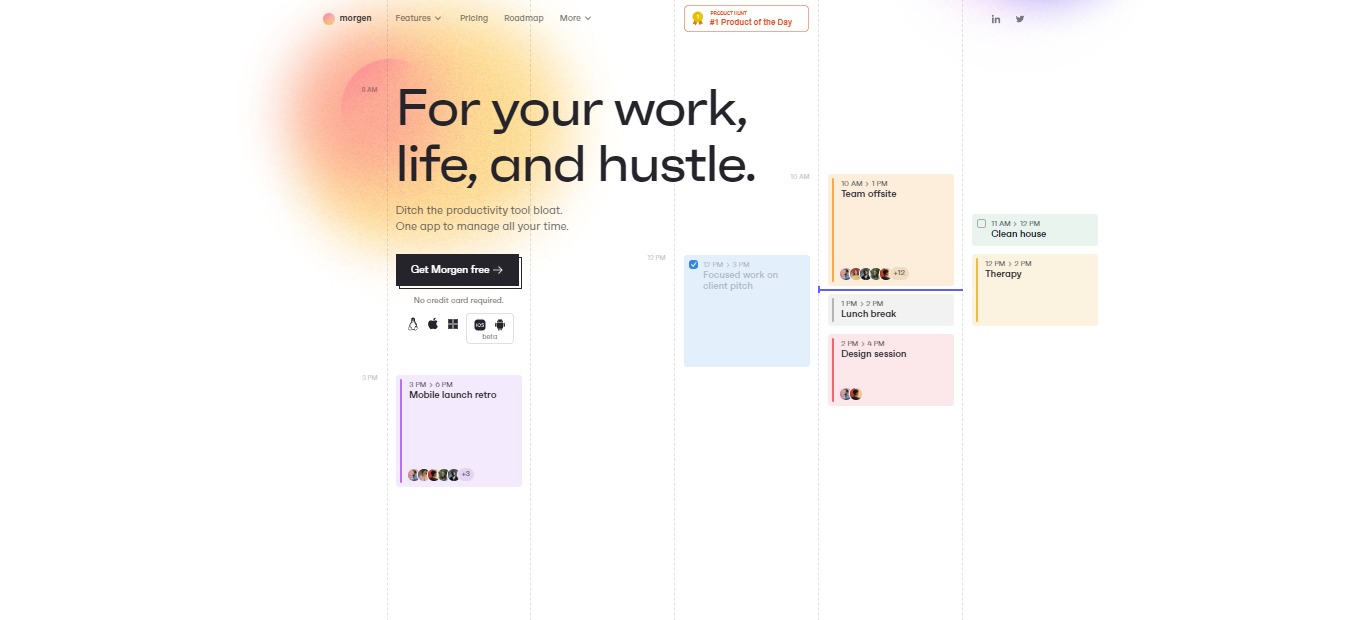
Morgen: Time management hub for your work, life and hustle

βš–οΈ Our Verdict

Morgen transformed the way people manage their time. Finally, all aspects of one’s schedule are available from a single point of access. This application is among the finest in its class. You will rarely encounter a Calendar Application that provides the same amazing services at a lower price, and Morgen is unique in this regard.

With all the features like integrated calendars, to-do lists, schedules, and universality, Morgen would not disappoint you. This application is perfect for professionals and students alike with its free plan and other pricing plans that suit your needs.

In conclusion, it’s a life-changer, affordable, and essential application for all your calendar and task-managing needs.

πŸ‘ ProsπŸ‘Ž Cons
πŸ‘ Available on Windows, Linux, Mac, and mobile
πŸ‘ Has a free plan and free trial
πŸ‘ Connects with other calendars
πŸ‘ Task Management feature
πŸ‘ Shortcuts for views and filters
πŸ‘Ž Mobile app in beta
πŸ‘Ž No support for enterprise options at the moment
πŸ‘Ž Limited features on free plan

🌟 About Morgen

Morgen was founded in 2021 as a time management application. Morgen unifies your calendars, to-do lists, productivity tools, and schedulers into one platform. They connect with the applications that you use and provide the same excellent experience across all of your devices.

This application is made out of the preference for simplicity. Morgen focuses on universality so that everyone can control their time with the tools they need. Community-focused is also one of Morgen’s missions as they built a platform for all the users to share their ideas.Β 

Privacy is of the essence in Morgem as they do not sell your data with ads. Morgen makes time management easy and functional, prioritizing user experience. This application is the calendar that reflects your life. Now you can use Morgen for your work, life, and hustle!

🎁 What’s In It For You?

Morgen helps you save time and frustration by allowing you to spend less time going from one tool to the other. It unifies all your work tools such as calendars. In terms of remote meetings, Morgen lets you join any meeting with the Quick Join feature by automatically extracting meeting links from other services. Additionally, you can group your calendars according to your liking.

This application also enables you to utilize the Universal Search feature which can provide you with the information that you need with ease. Morgen can help you schedule easier by allowing you to send availability information and setting up meetings with scheduling links.

Furthermore, Morgen employs Monotasking which can preserve your energy, keeping you more productive. With this app, you can drag and drop your to-do list to your calendar. Additionally, the task lists can be assigned with colors that you want. For each task, you can manually set the priority and you can also choose how you sort it. 

πŸ–₯️ How Does It Work?

  1. Edit the profile settings by clicking on your profile on the upper-right part of the interface.
  1. Add accounts and edit your calendars on the same menu.
  1. Search for anything in your calendar.
  1. Manage your calendars and add hotkeys.
  1. Click on any part of the day to add an event or a task. Fill in the details on the pop-up. Drag and drop the tasks to the calendar
  1. Hit the spacebar or click on the upper left part of the interface to reveal the task list.

πŸ’² Pricing Plans & Support

Morgen offers the best pricing plan for everyone depending on your needs!

πŸ’Ž Basic – $0/Month

This essential deal to get started is for free!

γ€° 1 calendar account

γ€° 1 recurrent scheduling link

γ€° Unlimited one-time scheduling links

γ€° Unlimited tasks and task lists

γ€° Productivity tools and shortcuts

πŸ’Ž Personal – $4/Month

This awesome deal that brings more power to you is only $4 per month!

γ€° Everything in Basic

γ€° 2 calendar accounts

γ€° Personal integrations

πŸ’Ž Pro – $9/month

This awesome deal that has everything for your work is only $9 per month!

γ€° Everything in Personal

γ€° Unlimited calendar accounts

γ€° All integrations

γ€° Unlimited recurrent scheduling links

γ€° Add branding to your booking page

πŸ“ The Competition

πŸ‘ ProsπŸ‘Ž Cons
πŸ‘ Many commands and shortcuts
πŸ‘ Integration with Notion, Zoom, and Google Meet
πŸ‘ Share availability
πŸ‘Ž No mobile app
πŸ‘Ž Early access

For your work, life, and hustle, go with Morgen

Zeda.io: Super app to empower your product teams

βš–οΈ Our Verdict

Zeda.io Product Management Software is an all-in-one Product Management Software created to support Startups, SMBs, SMEs, and Agencies by providing end-to-end solutions for all enterprises and industries.

This tool is worth every buck as it combines all the needed processes in project management β€” the tools and integrations. Collect feedback, identify goals and projects, plan your roadmap, and produce specific details for your development and design teams to follow. Zeda.io will empower your product team!

All in all, it’s a complete, simple, and essential tool for all project management needs.

πŸ‘ ProsπŸ‘Ž Cons
πŸ‘ Get constant feedback and insights
πŸ‘ Track bugs and improve products
πŸ‘ Create and share roadmaps
πŸ‘ Prioritization feature
πŸ‘ Good support
πŸ‘Ž Lacks other integrations
πŸ‘Ž Paid application
πŸ‘Ž UI issues

🌟 About Zeda.io

Zeda.io is a one-stop collaboration tool for product managers that want to increase their job productivity and, as a result, go from idea to product release faster. It is the easier, smarter, and more efficient way to create outstanding products in a more organized, collaborative, and efficient manner.

It enables product teams to be as efficient as possible by allowing them to collect and evaluate feedback, prioritize features, and execute product development all in one spot. Zeda.io lets you do end-to-end product management in a better way. 

Zeda.io was made out of the inefficiency of product management. The application has made managers do more problem-solving and strategic work, making them feel more complete and productive!

🎁 What’s In It For You?

Zeda.io helps product managers from across the world. It allows you to gather insightful feedback from your users as well as your internal team. This, in turn, lets them vote their favorites to the top, making their voices heard. Additionally, you can get ideas and requests from professional tools such as Slack, Zendesk, HubSpot, and more.

With Zeda.io, you can analyze the feedback, feature requests, ideas, and bugs all in a single place. Now you can identify products and features that your customers want from you! With that, you can prioritize and create the stuff that matters most β€” features that are important to your users. 

Zeda.io allows you to be efficient by aligning your team behind the roadmap, leading to your product’s success. Furthermore, you can keep your stakeholders updated with live roadmaps, which are shareable with your company, team, product, customers, and others.

Lastly, Zeda.io enables you to write well-defined features and paperwork and integrate them with Jira to easily implement your product requirements. Also, use the in-app widget, client portal, emails, Slack notifications, and other tools to keep your users and team up to date on new versions.

πŸ–₯️ How Does It Work?

  1. The backlog is the feedback that you collect from your stakeholder. The view can be changed from sheet view to kanban board. 
  1. The widget for feedback can also be used to gather information.
  1. Click on a request to view the information, link to a product, share with customers, do prioritization, and assign it to a person.
  1. Create a roadmap at every level.
  1. The product section lets you write more than a PRD. You can add any module, features, product information, design, and release.
  1. Once the product is done, you can publish a release note with all changes.

πŸ’² Pricing Plans & Support

Zeda.io offers the best pricing plan that suits your needs!

πŸ’Ž Startup – $90% off/12 Months

If you are a startup, Zeda.io has just the perfect plan for you which allows you to get 90% off for 12 months.

γ€° Collect feedback

γ€° Feedback forms

γ€° Prioritization frameworks

γ€° Product and feature spaces

γ€° Documentation

γ€° Roadmap

πŸ’Ž Pro – $24/Month

This amazing deal is perfect for product managers and is only $24 per month!

γ€° Collect feedback

γ€° Feedback forms

γ€° Prioritization frameworks

γ€° Product and feature spaces

γ€° Documentation

γ€° Roadmap

πŸ’Ž Enterprise – $-/month

This amazing deal is perfect for large organizations dedicated to product management!

γ€° Everything in Pro plan

γ€° Product management support and coaching

γ€° Dedicated customer success manager

γ€° Onboarding and migration help

γ€° Priority support

πŸ“ The Competition

πŸ‘ ProsπŸ‘Ž Cons
πŸ‘ Consolidating insights
πŸ‘ Different view options
πŸ‘ Prioritization by scoring
πŸ‘ Public feedback forum
πŸ‘ Roadmap
πŸ‘Ž Bugs from interactions
πŸ‘Ž No templates
πŸ‘Ž Billing mechanism is subpar

Empower your product team with Zeda.io!

Swarmia: Build happier and more productive software teams

βš–οΈ Our Verdict

Swarmia is a development productivity platform that looks like it was designed from the ground up for the best engineering organizations. Swarmia integrates with GitHub, Jira, and other platforms to offer engineering firms a comprehensive view of their operations and areas for improvement.

This application is best used by Engineering Leaders, Product Leaders, and Engineering Managers to provide context and save time for individual developers. It enables users to achieve 10x speed without losing product quality or employee health. Swarmia is also SOC2 compliant, making it safe and secure to use.

In summary, it’s a secured, essential, and feature-packed platform for engineering teams to use!

πŸ‘ ProsπŸ‘Ž Cons
πŸ‘ SOC2 compliant
πŸ‘ Offers a collection of metrics
πŸ‘ Integration with Slack and GitHub
πŸ‘ Bring transparency to the whole team
πŸ‘Ž Learning curve
πŸ‘Ž All features are overwhelming
πŸ‘Ž Limited features on free plan

🌟 About Swarmia

Scaling a software development company is challenging. As your teams and codebase expand, complexity rises, processes delay, and overall productivity decreases.

That’s why Swarmia was created: a software development productivity tool that provides engineers, managers, and leaders with the insights they need to recognize what’s dragging them down, as well as the tools they need to make actual improvements.

Swarmia combines your version control, issue tracker, and chat to enable you to analyze research-backed engineering metrics (such as DORA and SPACE framework) and utilize that data to make modest adjustments that have a big impact over time.

🎁 What’s In It For You?

Swarmia is a platform for visibility, flow insights, code insights, and working agreements. This tool lets you and your team obtain instant visibility and transparency for your engineering organization. It also allows you to have access to software development metrics that are both healthy and research-backed.

Swarmia enables its users to determine and solve process bottlenecks to quickly deploy better software. With Swarmia, you can Adopt Working Agreements alongside your organization to boost communication and keep your goals in sight.

Finally, with the bi-directional Slack interface, you can stay on top of your team’s activity, speed up code reviews, and increase data quality.

πŸ–₯️ How Does It Work?

  1. On the investment distribution, you can determine where you and your team mostly spend their time on.
  1. The work log aids you in finding patterns in the way your organization works.
  1. The insights section shows different metrics included in the platform.
  1. The working agreements let the team adopt practices from the industry. Here you can automate feedback loops and measure the progress.

πŸ’² Pricing Plans & Support

Swarmia offers pricing plans that fit how your organization works. Gain instant visibility on your organization and get started now!

πŸ’Ž Free – $0/Month

This amazing deal for small teams is for free!

γ€° up to 20 developers

γ€° GitHub insights

γ€° Issue tracker insights

γ€° Automated reminders

γ€° Configurable working agreements

γ€° Upgrade any time

πŸ’Ž Lite – $10/Month

This amazing deal is only $10 developer/month!

γ€° 20-150 developers

γ€° Github insights

γ€° DORA metrics

γ€° Automated reminders

γ€° Configurable working agreements

γ€° In-app chat support

πŸ’Ž Standard – $39/month

This amazing deal is only $39 developer/month!

γ€° 20-150 developers

γ€° Everything in Lite

γ€° Issue tracker insights

γ€° Investment insights

γ€° Dedicated customer success manager

πŸ“ The Competition

πŸ‘ ProsπŸ‘Ž Cons
πŸ‘ Managing code in a repository
πŸ‘ Build applications within the tool
πŸ‘Β  For Product, Development, QA, Security, and Operations teams to collaborate
πŸ‘Ž Missing several functions
πŸ‘Ž Free plan is limited
πŸ‘Ž Pricey

Build happier and more productive software teams with Swarmia.

Coda 3.0: The doc that brings it all together

βš–οΈ Our Verdict

Coda combines the versatility of a document, the power of a spreadsheet, and the convenience of apps into a single new canvas. Everyone may benefit from this program, including individuals, startups, businesses, and enterprises.

There are several use cases for this application. Coda documents have been created to assist people to launch products, expanding small enterprises, and studying for examinations. Coda 3.0 is ready to bring your team together with a brand new editor, an open packs platform, and hundreds of your most requested changes.

In summary, it’s an easy-to-use, collaborative, and essential tool for different document purposes.

πŸ‘ ProsπŸ‘Ž Cons
πŸ‘ Powerful tool in building documents
πŸ‘ Flexible pricing and usage
πŸ‘ Multiple templates and doc packs
πŸ‘ Import and transform data
πŸ‘ Good onboarding and tutorials
πŸ‘Ž No native application
πŸ‘Ž Freezes with big data
πŸ‘Ž Steep learning curve

🌟 About Coda

Coda comes with a set of new building blocks that enables anybody to create documents that are as powerful as applications. It is intended for all collaborative teams. Coda is the document that connects everything: words, information, groups, and the entire maker community.

The new editor provides substantial product enhancements that have been high on the users’ priority lists, and it solves the most typical gaps we find in editorsβ€”the choice between writing and publication, and the choice between organized and unstructured content.

🎁 What’s In It For You?

Coda is familiar like a document while engaging like an app, allowing your team to join in fast, engage efficiently, and make choices that stay. As teams and plans progress, you can utilize Coda’s building elements to effortlessly evolve your doc, similar to how a to-do list evolves into a beautiful task board.

Tables communicate with one another in linked data, and modifications appear everywhere. As a result, you can sync updates automatically and roll up your team’s plan to an executive dashboard.

Coda supports several integrations. Pull Google calendars into the team wiki and automatically post edits to Slack. Connect to the applications you use every day to give your documents limitless potential.

πŸ–₯️ How Does It Work?

  1. Create a page and name it. You can also change the icon of the pages that you create. All the pages will appear on the left side panel.
  1. Organize the pages on the left panel.
  1. Type on the page and change the format by highlighting the text.
  1. Click the page options and change the settings.
  1. Type /columns to select the layout of the page.
  1. You can copy and paste to Coda or import from several file formats.

πŸ’² Pricing Plans & Support

Your team can do much in the free plan. Only pay for Doc Makers when you upgrade. One person often develops a document, while others revise it and others merely view it from a distance. Instead of charging everyone, we simply charge those who produce documents.

πŸ’Ž Free – $0/Month

For those that are getting started, this plan is for free!

γ€° Collaborative docs

γ€° Connected tables, charts, kanban, forms

γ€° Formulas and automation

γ€° Pull in data from 3rd party tools

πŸ’Ž Pro – $10/Month

For scaling you and your team, this fantastic deal is only $10 per month per doc maker!

γ€° Everything in free

γ€° Unlimited editors and viewers

γ€° Unlimited doc size

γ€° 30-day version history

γ€° Hidden pages

γ€° Custom form branding

γ€° Pro packs

γ€° Access to Coda experts

πŸ’Ž Team – $30/month

For more powerful collaborations, this fantastic deal is only $30 per month per doc maker!

γ€° Everything in Pro

γ€° Unlimited automations

γ€° Unlimited version history

γ€° Doc locking

γ€° Private doc folders

γ€° Sync across docs

γ€° Team packs

γ€° Access to Coda experts

πŸ“ The Competition

πŸ‘ ProsπŸ‘Ž Cons
πŸ‘ Project and task management/collaboration
πŸ‘ Multiple integrations with apps
πŸ‘ Different view modes
πŸ‘Ž Has a learning curve
πŸ‘Ž Limitations in building database

Get the doc that brings it all together with Coda 3.0!