RemoteHQ 2.0: Multiplayer cloud-based Chrome browser

βš–οΈ Our Verdict

RemoteHQ is an amazing platform to collaborate with your team in real-time. It can be used by different organizations depending on their needs. Different use cases of RemoteHQ include customer support, e-learning, sales, collaboration, onboarding, and more!

This application is different from other collaboration tools as it is packed with multiple features, making it an all-in-one application. This includes note-taking, screen sharing and controlling, and video calls. Using this app prevents miscommunication between users and replaces the traditional screen sharing that we all know of.Β 

Overall, it is collaborative, packed with features, and an essential application for remote collaboration needs.

πŸ‘ ProsπŸ‘Ž Cons
πŸ‘ Share multiple apps and edit the layout
πŸ‘ Multiple integrations
πŸ‘ Command center for shortcuts
πŸ‘ Multiple people controlling the screen
πŸ‘ Session history
πŸ‘Ž Chrome-based only
πŸ‘Ž Paid application
πŸ‘Ž No audio in shared browser
πŸ‘Ž Cannot edit notes after meeting

🌟 About RemoteHQ

RemoteHQ is an online collaborative remote browser that lets multiple people co-browse and control any website easily in real-time. This application is an all-in-one collaborative browsing platform suited for teams working remotely for them to save more time and accomplish more work together.

RemoteHQ revolutionized internet browsing for online teams. The remote browser that this app employs is a multiplayer cloud-based browser. With this application, you can co-browse and co-edit any web application with your peers or customers being part of your daily work stack online. 

There are three ways how to use this app. It can be used as a collaboration hub, as integration for apps, and as an embeddable remote browser. Additionally, RemoteHQ is integrated with Slack, Webex, Intercom, and Zoom.

🎁 What’s In It For You?

With RemoteHQ, you can get the most out of every remote meeting as everything you need to collaborate remotely with team members, clients, customers, and anyone is included in this app! RemoteHQ allows you to turn any website into a multiplayer experience with the Remote Browser that can be run in the cloud, is 100% secure, and does not require any installation. 

This application also features app persistence across your sessions. With that, you can work with persistence across recurring meetings just by entering the room. You can also carry over apps, layouts, and content from one meeting to another.

RemoteHQ also lets you feel like you and your team are literally beside each other with the HD audio and video. It also enables you to co-browse with as many people as you require just by inviting them. Not only that but RemoteHQ also lets you search across all session logs and stuff regarding your notes, images, transcripts, etc. all in one place!

πŸ–₯️ How Does It Work?

  1. After logging in, create a new workspace and invite new members. You can create multiple workspaces.
remotehq
  1. Create different rooms in a workspace according to your needs.
remotehq
  1. Click on any room to see any artifacts including notes, recording, files, duration, and guests.
remotehq
  1. The green dot on a room lets you know there’s an active meeting. Join by clicking the blue β€˜join’ button.
remotehq
  1. While inside a room, hit cmd+K to open the app launcher. You can share different sites and apps using the launcher just by typing in the search bar.
remotehq
  1. Click the β€˜open app’ button on the bottom right side of the screen to add a tile. You can drag and drop any application on the screen.
remotehq
  1. Change your layout and share it with your team.
remotehq

πŸ’² Pricing Plans & Support

RemoteHQ offers simple and transparent pricing for different types of organizations.

remotehq

πŸ’Ž Professional – $15/Month

This deal for individuals and team collaboration is only $15 per month!

γ€° 10 rooms (public only)

γ€° Remote browser

γ€° Limited access to other applications

γ€° 90 days of session log

γ€° 2GB storage

γ€° Basic support

πŸ’Ž Business – $30/Month

This deal for sales, support, onboarding, training, and collaboration is only $30 per month!

γ€° Everything in professional

γ€° Unlimited rooms (public and private)

γ€° Access to all apps

γ€° Indefinite session log

γ€° 5GB storage

γ€° Premium real-time support and onboarding

γ€° Search across all session logs and artifacts

γ€° CRM integrations

πŸ“ The Competition

πŸ‘ ProsπŸ‘Ž Cons
πŸ‘ Easy to use and user-friendly
πŸ‘ Good UI
πŸ‘ Chat and call options
πŸ‘ Access history of meeting
πŸ‘ Integrations
πŸ‘Ž Missing important features
πŸ‘Ž Issues and bugs
πŸ‘Ž No 2-factor authentication

Try a multiplayer cloud-based Chrome browser with RemoteHQ

Werk: Async first, all in one collaboration for remote teams

βš–οΈ Our Verdict

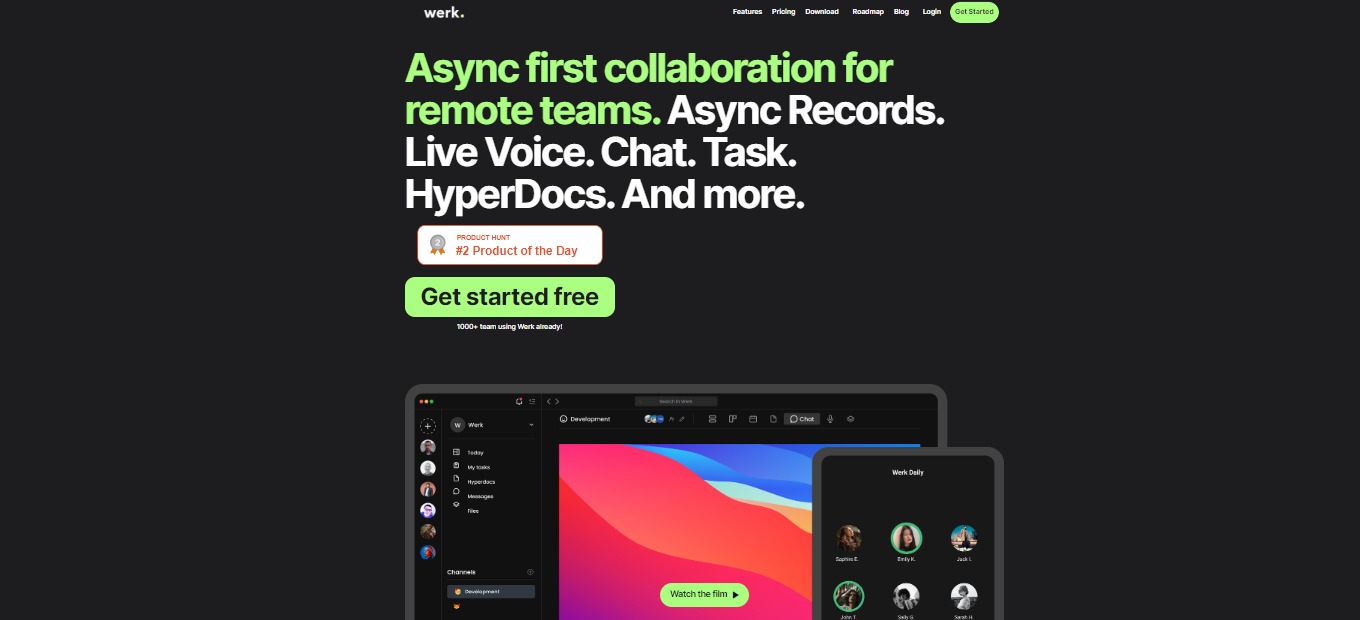
Werk is an all-in-one team management platform that features a task manager, voice chat, productivity score, and more! This tool is best used by remote or hybrid teams but is not limited to that since it can also be used by individuals. 

With this application, there is no need to purchase several tools that help you in productivity since it can be handled by Werk alone. Even in beta, Werk lives up to its expectations and is a gamechanger in the industry.

All in all, it’s an essential, affordable, and complete platform for all remote working needs! 

πŸ‘ ProsπŸ‘Ž Cons
πŸ‘ Tools for remote working
πŸ‘ Communication feature
πŸ‘ Team management and document management
πŸ‘ Native mobile and desktop apps
πŸ‘Ž UI is not intuitive
πŸ‘Ž Hyperdocs can be better

🌟 About Werk

Werk is an asynchronous collaboration tool designed for remote and hybrid teams. that combines team collaboration, communication, and project management into a single platform. You may manage your tasks, communicate with your team, use voice rooms to interact conveniently, create and manage documents, and use asynchronous communication to keep in contact.

It lets you list your assignments, take notes and share them with your team members, and create multiple workspaces for certain projects or departments when your team is working remotely or hybrid. When you begin utilizing Werk, you will also have the opportunity to eliminate the excessive fees you have been paying for fancy apps.

Werk is a tool that has everything you require to work remotely. Replace your current tool stack with a next-generation strategy and centralize your workflow.

🎁 What’s In It For You?

With Werk, you can collaborate remotely via the Async Records feature. It also allows you to share files, hyperdocs, and more, making you never miss a conversation. The task manager is a simple and customizable tool that Werk lets you utilize. You can manage your tasks and build your task manager with what you need.

If you are tired of video calls, Werk lets you get into voice collaboration. You can meet with your peers in a simple voice chat and start collaborating without problems with time. The Hyperdocs feature allows you and your team to take notes and documentation, ridding the unnecessary apps that you previously used. 

Not only that, but you can also share your screen with teammates while speaking on the voice chat. Werk also has a calendar with different views such as lists and kanban views for your tasks. 

πŸ–₯️ How Does It Work?

  1. Once you sign up, you can invite teammates to join your workspace.
werk
  1. Select a channel that you want to use or you can create one by clicking the add button.
werk
  1. The taskbar at the top lets you utilize the different features of Werk. Select the β€˜Records’ button to record your screen or just your voice. You can share them with your peers.
werk
  1. Click the β€˜Voice’ button to join the voice chat. 
werk
  1. The task manager can be seen on the β€˜Tasks’ button. Here you can organize and assign several tasks.
werk
  1. Click the β€˜messages’ button to view the chat thread and start discussing with your team!
werk

πŸ’² Pricing Plans & Support

Werk offers pricing plans that might be the solution to your problems!

werk

πŸ’Ž Free – $0/Month

This deal is great for side projects, starters, and school projects and is for free!

γ€° Up to 5 teammates

γ€° All features

γ€° Up to 5 channels

γ€° 500MB storage per user

πŸ’Ž Pro – $7/Month

This deal is for teams, startups, and companies all for $7 per user per month!

γ€° Unlimited teammates

γ€° All features

γ€° Unlimited channels

γ€° 10GB storage per user

πŸ’Ž Enterprise – $Custom/month

This amazing deal is for medium and big companies with extended permissions and analytics!

γ€° Everything in Pro

γ€° Extended permission management

γ€° Comprehensive analytics

γ€° Advanced identity management through SAML-based SSO

πŸ“ The Competition

πŸ‘ ProsπŸ‘Ž Cons
πŸ‘ Remote collaboration tool
πŸ‘ Integrations with Gmail, calendar, and Trello
πŸ‘ Integrate, communicate and delegate tasks
πŸ‘ Native mobile and desktop apps
πŸ‘Ž Less customization on dashboardπŸ‘Ž Has a learning curve

All in one collaboration for remote teams with Werk!

Acapela: The central inbox for all your work tools

βš–οΈ Our Verdict

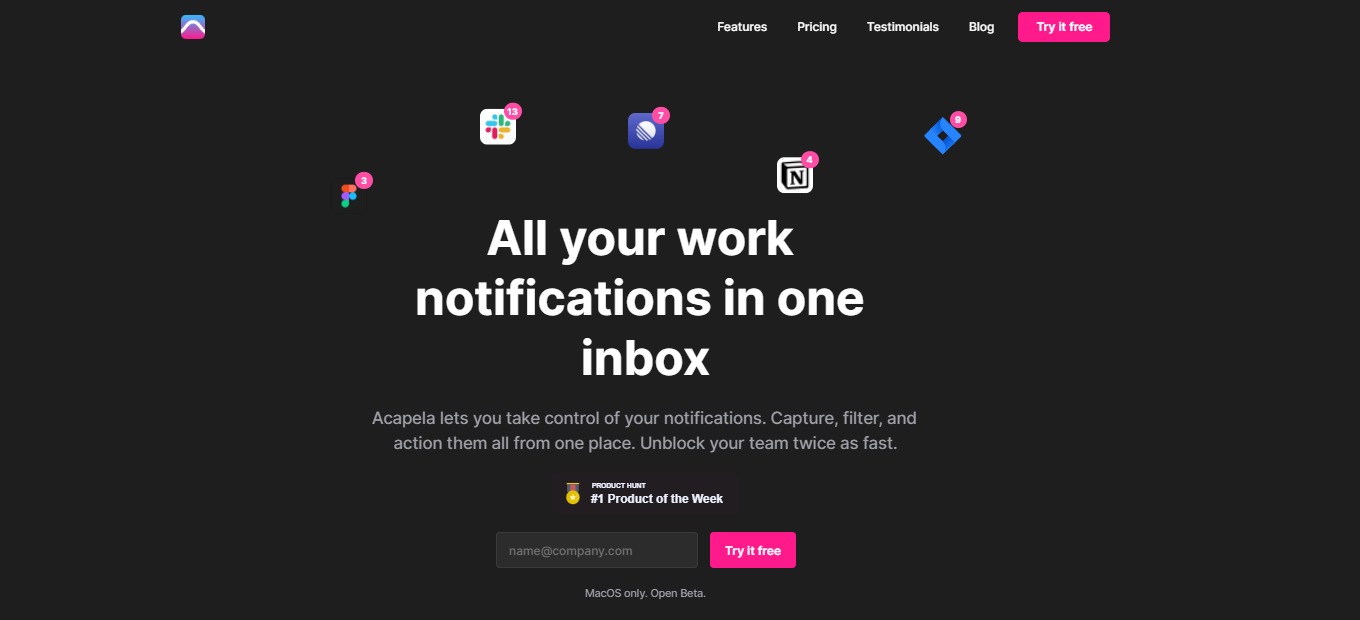
Acapela works with everyone including students, professionals, businessmen, and the like. Users of Acapela gain the benefit of more concentrated work and fewer distractions, resulting in a satisfying workday, every day. Acapela removes time spent on busywork, centralizes your work communication, and applies Inbox Zero to your tools. 

This application should be included in everyone’s workflow as it allows you to save time and effort by centralizing all your work stuff in a single platform. In some respects, the product is the contrary of Zoom’s and Slack’s real-time and attention-hogging shortcomings. However, this application is only downloadable on Mac, but expect a Windows native app in the future.Β 

All in all, it is an essential, affordable, and easy-to-use application for remote working to be done efficiently.

πŸ‘ ProsπŸ‘Ž Cons
πŸ‘ All work notifications in one inbox
πŸ‘ Rich integrations
πŸ‘ Good UI/UX
πŸ‘ Has free plan

πŸ‘Ž Limited integrations on the free plan
πŸ‘Ž No social media integration
πŸ‘Ž No Windows version

🌟 About Acapela

Acapela is a central inbox that unifies all your work tools in a single application. It collates all scattered notifications and messages in one place. All of your work communication may be captured, filtered, and acted upon while using this application. Apply Inbox Zero even to Slack, Notion, GitHub, Figma, Jira, Linear, and other services. 

Acapela was created because there is a need for a tool to make remote work calmer and more focused. Additionally, using this application allows you to stay responsive without being interrupted and switching contexts. With that, this tool lets you be in charge of all your notifications. With Acapela, there will be fewer interruptions, lesser FOMO, and more time for deeper work.

Using Acapela, you do not need to switch between apps anymore and get distracted. You now have fewer disruptions and a very much better workflow for more quality work! 

🎁 What’s In It For You?

Acapela offers an integrated inbox that connects your everyday tools. With that, you achieve a bird’s eye view of all your notifications, all without checking different applications. Additionally, Acapela allows you to filter out the noise using customization that lets you decide which notifications will be shown first. Now you can get rid of unimportant messages and focus on what’s more important.

With Acapela, you have no mess and no stress. The inbox view brings you peace of mind and removes the feeling of fear of missing out. This application assures you that nothing goes missing and that every message and notification will be accounted for. Acapela also offers a keyboard-first design that employs usability without mouse clicks. It is also fast and gives a smooth workflow.

πŸ–₯️ How Does It Work?

  1. Set up your profile and link all necessary applications. 
  1. The sidebar shows all inboxes for different tools. Click each one or use the β€˜tab’ button to navigate each tool. 
  1. The central part of the screen shows all the notifications across different applications. 
  1. Click on the notification and you may directly control the tool from Acapela. 
  1. Create a new list from the sidebar. 
  1. Add a filter to the list according to your requirement. You can set conversation and message types, people, threads, and more customization. 

πŸ’² Pricing Plans & Support

Acapela offers pricing that lets you control your workday efficiently! 

πŸ’Ž Free – $0/Month

Take control of your notifications for free!

γ€° 3 integrations

γ€° 2 custom inboxes

γ€° 1 Slack workspace

πŸ’Ž Premium – $8/Month

Connect all work tools to transform your workflow for only $8 per month!

γ€° 10 integrations

γ€° 5 custom inboxes

γ€° 3 Slack workspaces

πŸ’Ž Unlimited – $12/month

Inbox Zero for every tool for only $12 per month!

γ€° Unlimited integrations

γ€° Unlimited custom inboxes

γ€° Unlimited Slack workspaces

γ€° Gmail and Google suite integration

πŸ“ The Competition

πŸ‘ ProsπŸ‘Ž Cons
πŸ‘ Collaboration between different apps
πŸ‘ Easy to access Google apps
πŸ‘ Cloud-based
πŸ‘Ž Few features are unavailable
πŸ‘Ž Centered only on Google

Make a central inbox for all your work tools with Acapela!

Dokkio: One place to find, organize & understand your online sh*t

βš–οΈ Our Verdict

Dokkio is a smart application that vastly enhances the way you and your team collaborate on shared files. It is a cohesive platform that can be useful for individuals and teams alike. Everyone is recommended to use this application as it can help you manage all files from different locations at ease.

Dokkio solves the problem of handling the ever-increasing jumble of digital information and documents. It is a next-generation file organizing solution that leverages AI to adapt to your company and extract knowledge from your existing files. Dokkio can even set apart resumes, contracts, or even product plans.

In summary, this application is easy to use, essential, and affordable organizing tool that can make everyone’s digital life easier.

πŸ‘ ProsπŸ‘Ž Cons
πŸ‘ Easy to manage and navigate through files
πŸ‘ Multiple integrations
πŸ‘ Easy to search documents
πŸ‘ Transfer files between different platforms
πŸ‘ Free application
πŸ‘ Collaborate with your team
πŸ‘Ž No mobile app
πŸ‘Ž Cannot manage version control
πŸ‘Ž Cannot create workflows and track signatures

🌟 About Dokkio

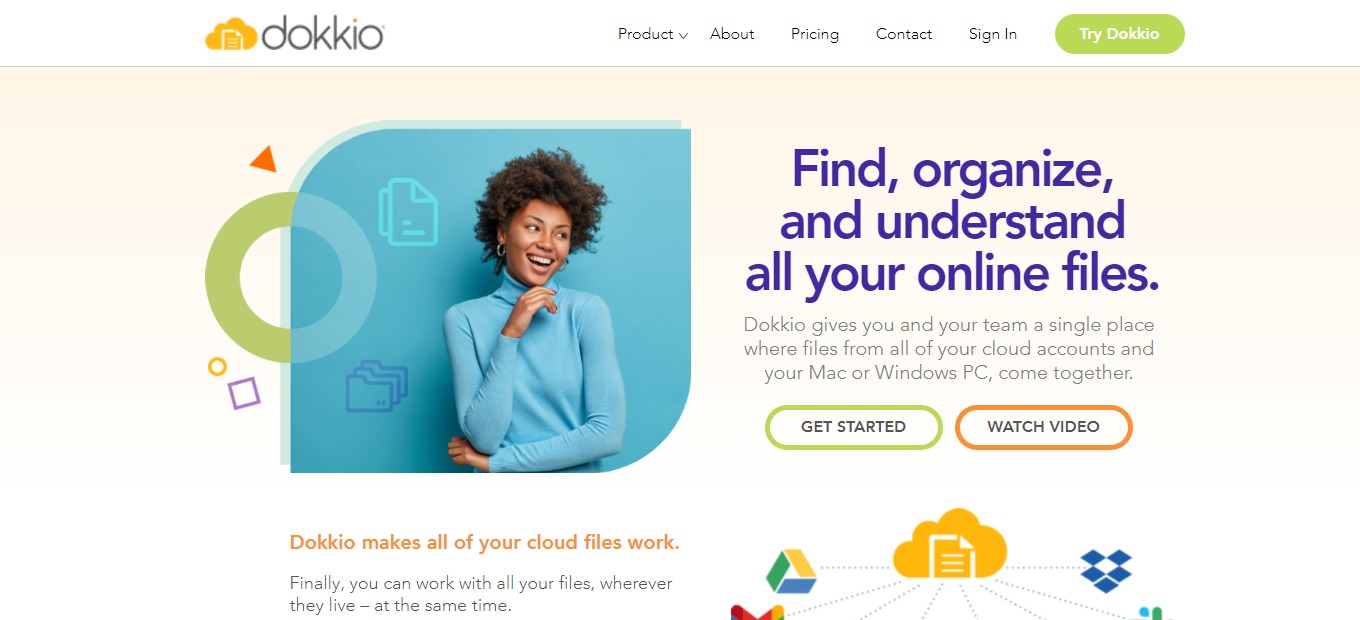
Dokkio is an intelligent, AI-powered management and collaboration software that quickly finds the relevant file, no matter where it is stored in the cloud. You may do searches across several accounts and tools.

Dokkio collects all of your content and automatically classifies and organizes it to suit how you work, search, stay up to date, collaborate, and more. Regardless of where the data is stored, Dokkio helps you work with all of it. 

This product is a solution to the chaos and disorder of many files and documents scattered throughout different services. With this app, you can save time and energy navigating through all of your stuff!

🎁 What’s In It For You?

Dokkio adds context and order to the files you and your team, work with every day by displaying all of them in one location. Dokkio makes it possible to identify the necessary document or asset to close the deal without having to go through a sea of files. It allows you to organize your files into useful groups.

Dokkio also consolidates your file-sharing into a single, secure solution that mirrors your company’s structure. With that, Dokkio employs AI technology to sort your files automatically to save you time!

Dokkio integrates seamlessly with your current cloud-based file repositories (Dropbox, Drive, Slack, and so on). After creating a new account, just log in with those credentials to begin organizing your files!

πŸ–₯️ How Does It Work?

  1. Click the content sources on the sidebar. Then, integrate the accounts that you wish to organize in Dokkio.
  1. Navigate from the content sources to find files.
  1. Use the search bar to locate specific files quickly and easily.
  1. All results will be shown across different sources.
  1. After connecting the sources to Dokkio, it automatically organizes them and suggests ways to view them.
  1. Clicking on a context will show you everything about it.

πŸ’² Pricing Plans & Support

Dokkio offers comprehensive pricing that suits all of you or your team’s needs.

πŸ’Ž Free – $0/Month

This useful and amazing deal is free!

γ€° No fixed user limit

γ€° 20,000 connected files

γ€° No fixed storage limit

γ€° 10 file sources

γ€° Intelligent search

γ€° Auto-tagging

γ€° Auto-categorization

γ€° Image recognition

γ€° Entity detection

γ€° Standard support

πŸ’Ž Pro – $9.99/Month

This useful and amazing deal is only $9.99 per month per user!

γ€° Everything in free plan

γ€° No fixed user limit

γ€° Unlimited connected files

γ€° Unlimited storage

γ€° Unlimited file sources

γ€° Pro support

πŸ“ The Competition

πŸ‘ ProsπŸ‘Ž Cons
πŸ‘ Create workflows and unify content
πŸ‘ Secure and accessible
πŸ‘ Unlimited data storageΒ 
πŸ‘ Share with anyone
πŸ‘Ž Bad search functionality
πŸ‘Ž Long loading time
πŸ‘Ž Paid application
πŸ‘Ž Sometimes crashes

Dokkio is the one place to find, organize & understand your online sh*t

Creately 4.0: The new interface for work to ideate, plan, and execute

βš–οΈ Our Verdict

Creately is simple and straightforward but has many use cases. It has a lot of templates to choose from, so you can save time. Creately is applicable within different contexts, including marketing, product development, education, and other general business use cases. This app is best used by anyone that needs to visualize concepts, plans, processes, and other ideas. With that, many can benefit from Creately, from students and educators to engineers.

Creately offers a simple interface with great flexibility and capability for teams to work on a single canvas. Its built-in task management tools, databases, and code-free workflow design feature help bring people, ideas, data, and work together in a centralized location, making it easier than ever for teams to brainstorm, plan, manage projects, and collect knowledge.Β 

Overall, it’s an affordable, functional, and useful application for visualizing anything with your team or individually.

πŸ‘ ProsπŸ‘Ž Cons
πŸ‘ Visual Collaboration stage
πŸ‘ Create simple and complex diagrams
πŸ‘ Intuitive and has a drag and drop
πŸ‘ Many integrations
πŸ‘Ž Sometimes, graphics don’t connect accurately
πŸ‘Ž Lags and bugs
πŸ‘Ž Limited customization features

🌟 About Creately

Creately is marketed as a visual workspace for project conceptualization, planning, execution, and analysis. This is a platform that allows for diagramming and drawing as well as real-time collaboration, allowing teams to centralize documents, assets, projects, and communication, resulting in a unified view for improved decision-making and higher efficiency.Β 

Creately, in essence, bridges the links throughout your organization – every idea, activity, workflow, plan, and document are linked and constantly up to date, just like your other applications! Connect the dots across your team to keep everything and everyone in sync.

Creately integrates essential features to give a no-code environment in which users may construct and model their workplace operating system. This makes it easy for teams to brainstorm, plan out processes, add in-depth details, and design tools to execute the processes all inside Creately.

🎁 What’s In It For You?

Creately enables you to utilize visual tools that get the job done and streamlines all your efforts. Creately also lets you create workflows that work according to your liking. You can customize rules and formulas the way you want without coding. 

Creately keeps everything in sync with custom databases, where you can visualize items in different contexts. You can also collaborate with your peers in Creately, using the diagramming and whiteboard tool that keeps everyone on the same page.Β 

This application lets you centralize and capture knowledge – keep everything you need to run your organization in one place! Lastly, Creately has front-end data integration and augmentation that allows you to integrate and extend other applications as you can bring any data from any app, visualize them, and add fields to that data. 

πŸ–₯️ How Does It Work?

  1. From the folders, create a workspace.
  1. Choose from the set of templates or you can start from scratch.
  1. Add shapes and connect them. 
  1. Align, group, and change the style of the chart using the menu.
  1. The right side shows the settings for the workspace.
  1. Share with others and give them access to collaborate.
  1. Click the line button, then draw a connection.

πŸ’² Pricing Plans & Support

Creately gives you the all-in-one visual work management tool with an affordable pricing plan!

πŸ’Ž Free – $0/Month

This unified platform is free!

γ€° 3 canvases (60 items max)

γ€° 1 folder

γ€° Limited storage

γ€° Basic integrations

γ€° Raster image only exports

πŸ’Ž Personal – $6.95/Month

This unified platform is only $6.95 per month!

γ€° Unlimited canvases and items

γ€° Unlimited folders

γ€° 5GB storage

γ€° 30 day version history

γ€° Unlimited imports

γ€° All export formats

γ€° Basic collaboration

γ€° Email support

πŸ’Ž Team – $8/month

This unified platform is only $8 per month per user!

γ€° Everything in Personal

γ€° Unlimited databases

γ€° 5000 items per database

γ€° Project management tools

γ€° HR, product, IT, process toolkits

γ€° Advanced collaboration

γ€° Most integrations

γ€° 10 GB storage

γ€° One team admin

γ€° Email + chat support

πŸ“ The Competition

πŸ‘ ProsπŸ‘Ž Cons
πŸ‘ Manage tasks, teams, and projects
πŸ‘ User-friendly and easy to use
πŸ‘ Time tracker
πŸ‘Ž Limited trial features
πŸ‘Ž Limited functional with embedded applications

The new interface for work to ideate, plan, and execute with Creately 4.0

Cron: Next-Generation Calendar for Professionals and Teams

βš–οΈ Our Verdict

Cron is an amazing product that everyone should look out for. It is a calendar not only for individuals but also suited for teams! They even update new features at a steady pace. This app is a combination of simplicity and functionality, making it likable to everyone. 

Cron is currently available for iOS and Windows but no mobile applications yet as they are still creating it. Furthermore, Cron saves you time and helps you manage your schedule with its very simple and minimal design. With all of its amazing and powerful features, it is no doubt that Cron will be one of the biggest calendar applications in the near future.

In summary, it’s a simple, functional, and powerful application suited for your busy and modern-day needs!

πŸ‘ ProsπŸ‘Ž Cons
πŸ‘ Simple and good UI
πŸ‘ Many commands and shortcuts
πŸ‘ Integration with Zoom and Google Meet
πŸ‘ Share availability
πŸ‘ iOS and Windows app
πŸ‘Ž No mobile app
πŸ‘Ž Available on early access

🌟 About Cron

Cron is a clean and fast calendar that allows you to schedule meetings and control your time. This application is also awarded as the ProductHunt productivity app of the year! It is because Cron was made to be more productive and suited to the schedule. 

Cron reimagines a calendar for a modern time as it combines all the features necessary for the best experience, like scheduling meetings, planning tasks, taking notes, blocking time, and tracking activities. This application simply brings some innovation to productivity applications.

Even though Cron has just started, it is currently building more powerful workflows and expanding to more platforms. Some of the biggest companies use this application, now is your time!

🎁 What’s In It For You?

Cron is a simple yet powerful application with tons of features. Cron is very minimalistic and easy to use because it only shows you what you need to see. The minimal design shows you a simple layout and gives you a full picture of your time. Additionally, all other commands can be accessed by using command+K.

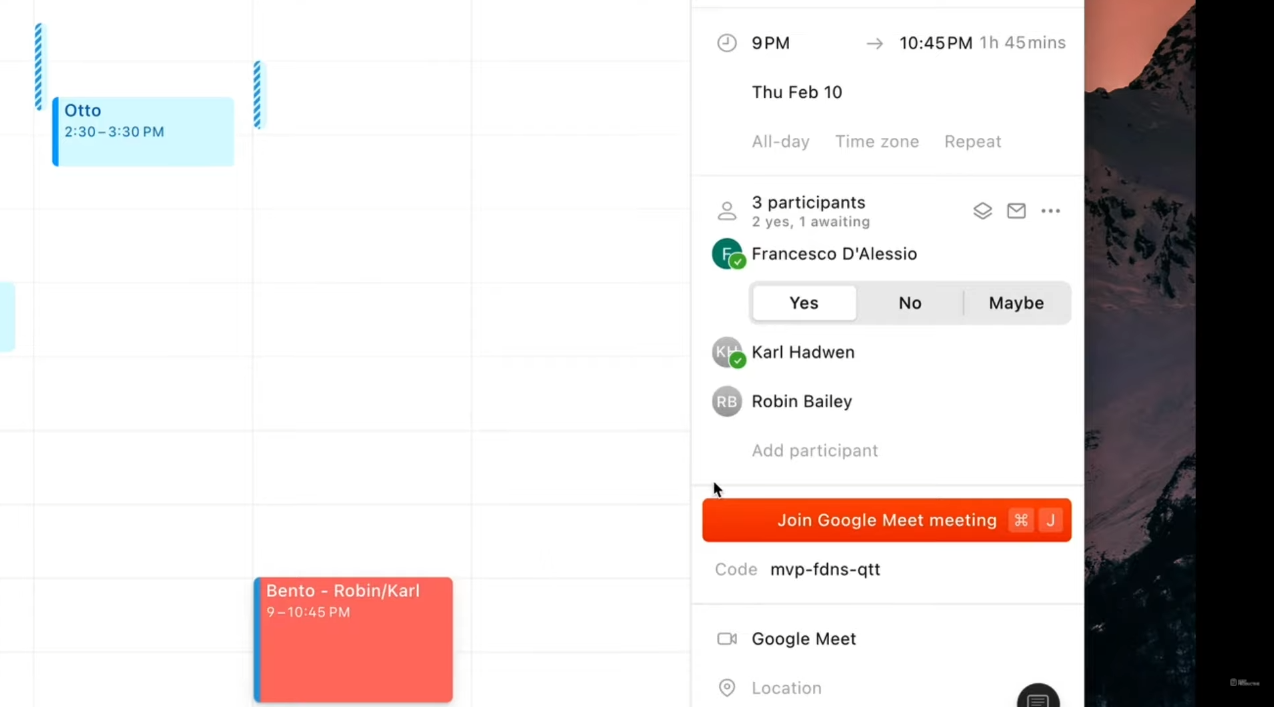
With Cron’s menu bar, you can pick the range as to how you can view meetings, get alerts, and use shortcuts to access meetings with a single click. This makes joining Zoom calls or Meets easier. Further, Cron supports the largest video conferencing tools. Cron also allows you to create and schedule repetitive events and color code them based on different categories. 

Cron also allows you to change the duration of an event and it automatically gets updated. One amazing feature of Cron is that you can access the command menu and schedule an event with natural language – just plain English. It also allows you to search events and participants from the menu. Lastly, Cron lets you send availability on any conversation. 

Other distinct features of Cron that make it unique from other calendar apps include the ability to display your teammate’s calendar with a single button, drag and drop scheduler, one-click to join a call, multiple time zones, and default and custom conferencing for various calendars. 

πŸ–₯️ How Does It Work?

  1. The useful shortcuts can be viewed on the right pane. Use the Control+K to access the menu bar.
  1. Drag on the screen to add an event. The right side allows you to add the details of the event. 
  1. Clicking on an event lets you join a meeting with a single click.
  1. To share availability, click on the button then drag on the calendar. This feature comes with a generated message you can share that informs other people about the schedule you created.
  1. The link of availability lets others choose their preferred time.
  1. You can change how you view your calendar by clicking on the β€˜Week’ button.

πŸ’² Pricing Plans & Support

Since Cron is in its early stage and is not yet released to the general public, they only offer services to people requesting access. Despite that, early access is free for everyone and you just have to be patient to get accepted.

It is possible that Cron will offer a freemium service with a paid subscription to advanced features. However, it is still too early to conclude that. 

πŸ“ The Competition

πŸ‘ ProsπŸ‘Ž Cons
πŸ‘ Availability feature
πŸ‘ Different timezones
πŸ‘ Fast application
πŸ‘ Easy to use
πŸ‘ Keyboard shortcuts
πŸ‘ Command center
πŸ‘Ž Paid applicationΒ 
πŸ‘Ž 14-day free trial only
πŸ‘Ž Needs more integrations

Create next-generation calendar with Cron

Kairn: Regain Control Over Your Days

βš–οΈ Our Verdict

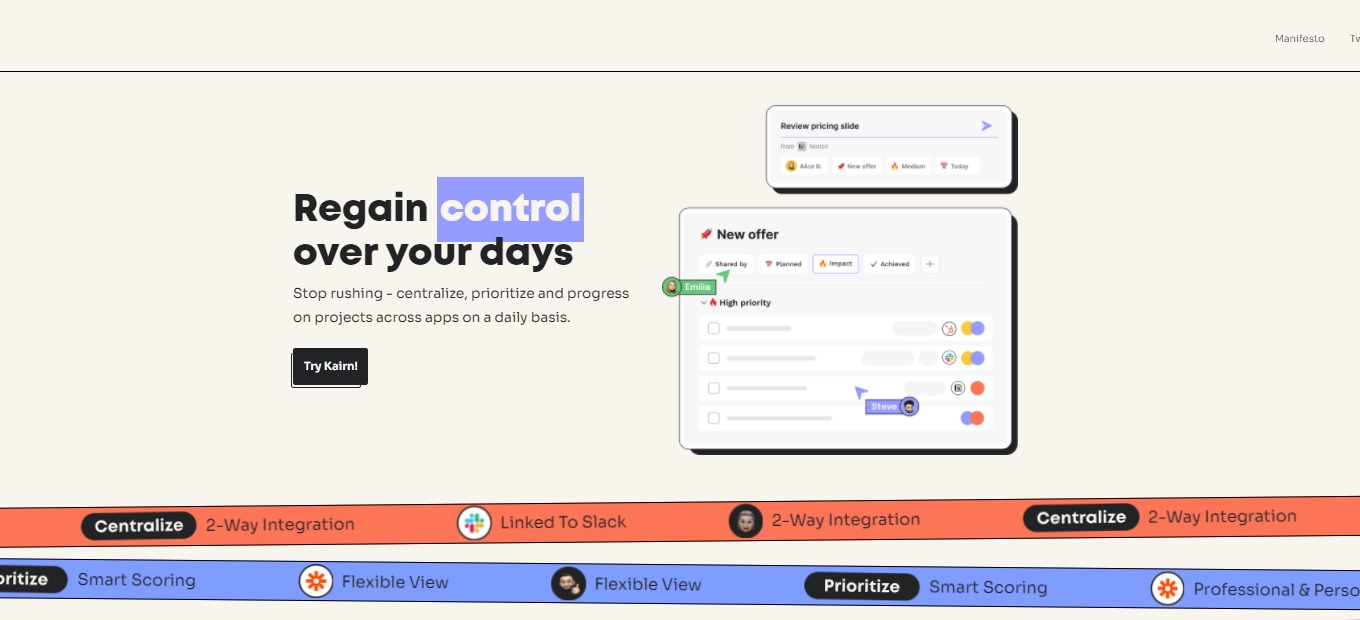
Kairn is popular among operations, product, and growth teams at fast-growing companies. With Kairn, insanely hectic days of users become a lot more manageable, and they finally sense progress at the end of the day.

Kairn can be best used by individuals and teams. You don’t have to move between applications all the time, as you can create tasks on the go. With that, Kairn is the solution to your messy and piling undone tasks. However, Kairn can only be optimized using a Mac OS, and they still don’t have a native application for mobile and tablets.

In conclusion, it’s an easy-to-use, simple, and loaded application for the purpose of project management for individuals and teams alike. 

πŸ‘ ProsπŸ‘Ž Cons
πŸ‘ Many integrations
πŸ‘ Multiple views
πŸ‘ Drag and drop tasks
πŸ‘ Add tasks from anywhere (Mac)
πŸ‘ Has a free version
πŸ‘ Easy to add tasks
πŸ‘Ž Mac app onlyπŸ‘Ž Cannot use all features on windows web appπŸ‘Ž Lacks productivity measurement

🌟 About Kairn

Kairn is a project management application built to give you better days. Kairn was started n order to give its users the fulfillment of getting an extra productive day. This application’s mission is to empower people by helping them get more things done. 

The approach of Kairn focuses on capturing the tasks to be done in real-time, straight from the work environment without losing time. This is so that the users may prioritize what’s important. Furthermore, the users of Kairn can centralize and progress daily on projects across different apps. 

Kairn is a productivity application designed to empower you and also your team. Mac users say that this application is the best out there. Start having productive and great days by using Kairn now!

🎁 What’s In It For You?

Kairn helps you regain power over your days as it allows you to stop rushing on things. You can centralize everything on this single application. Kairn lets you keep track of every task you need to accomplish on different tools with ease. As simple as that, Kairn helps you clarify all that you need to do in one place. With Kairn, you can add tasks in a single click from anywhere – Kairn links the task to the required page. Also, this application has loads of integrations ranging from Notion to Google Workspace. 

Moreover, this application allows you to prioritize projects and small tasks that need to be done. It allows you to navigate and switch between different views on the application – Task view and Project view. Kairn is not limited to professional tasks as it also allows you to add personal tasks to the manager. 

In terms of progress, you will never lose time again while using Kairn because this app connects you to everything. By that, you can focus on doing the tasks instead of scrambling around. Kairn updates integrated tools so that when you mark tasks on Kairn, it would also be marked on the tools! Additionally, Kairn is suitable for teams as you can share projects with anyone, even non-Kairn users.

πŸ–₯️ How Does It Work?

  1. After logging in, download the native app for iOS.
  1. Open the downloaded application and connect your account.
  1. On any website, you can highlight the task and add it directly to Kairn by using the shortcut.
  1. Set the specifications of your task – the assigned user, project board, priority, and date.
  1. Clicking on the extension gives you access to the tasks that you have added.
  1. Connect different tools to Kairn on the integrations setting.
  1. Share the task with anyone by clicking on the task and the assigned user button.
  1. Add a view according to how your tasks will be organized.

πŸ’² Pricing Plans & Support

Make your day more productive with the different plans of Kairn.

πŸ’Ž For busy people – $0/Month

This deal to make you productive is for free! 

γ€° Unlimited projects

γ€° Unlimited connected apps

γ€° Unlimited members

γ€° Up to 500 tasks updated per month

πŸ’Ž For busy teams – $5/Month

This deal to make you and your team productive is only $5 per month per user!

γ€° All free features

γ€° Unlimited tasks updates

γ€° Activity log

γ€° Collaborative workspace

πŸ’Ž For big busy teams – $10/month

This deal to make you and your team productive is only $10 per month per user!

γ€° All free and busy teams features

γ€° Permission management

γ€° Admin tool

γ€° Public boards and guests

πŸ“ The Competition

πŸ‘ ProsπŸ‘Ž Cons
πŸ‘ Easy to use
πŸ‘ Flexible UI
πŸ‘ Assign tasks
πŸ‘ Monitor activity and measure productivity
πŸ‘ Prioritize tasks
πŸ‘ Many integrations
πŸ‘Ž Has a learning curve
πŸ‘Ž Hard to sync calendar
πŸ‘Ž Support team needs improvement
πŸ‘Ž Paid version is expensive

Regain control over your days with Kairn

Make: Design, Build and Automate Your Work

βš–οΈ Our Verdict

Make acts as the backbone of automation for all types of organizations, from small businesses to startups and corporations. Integromat has assisted tens of thousands of clients in automating their operations and transforming their ideas into real-world solutions. 

Integromat evolved into Make, which is a result of the comments of their valued customers. The no-code feature of Make is amazing because it lets you create without limits. Make allows you to create like a developer. With make, build workflows at the speed of your ideas.

This automation tool is worth the price as the features of this app are really essential to your workflow and are quite numerous. However, the many features of this app come with a learning curve. 

Overall, it’s a functional, affordable, and essential application for automating everything you can think of. 

πŸ‘ ProsπŸ‘Ž Cons
πŸ‘ Thousands of templates
πŸ‘ No-code
πŸ‘ Good UI and fun to use
πŸ‘ Many tutorials
πŸ‘Ž Very high learning curve
πŸ‘Ž Lacks some integrations
πŸ‘Ž Inconsistent support 

🌟 About Make

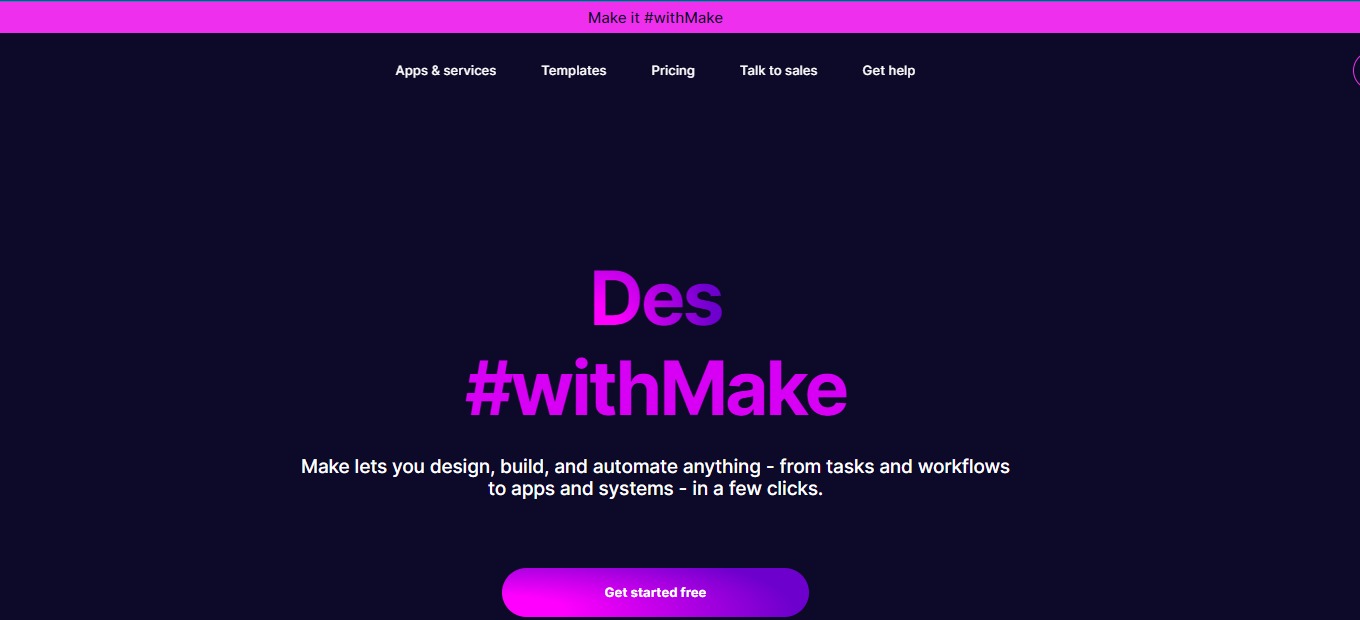
Make is a visually pleasing platform that allows anyone to create, design, and automate everything. From workflows and tasks to complex systems – all without coding! This application was formerly known as Integromat and is a product of all the feedback from its users. 

Make is a combination of a visual and powerful tool for automation. Integromat served as a basis for Make, but everything is new – the architectural foundation is new, providing better performance and scalability. This app comes with many features, while still keeping the visual experience for the users. 

Make is trusted by 500,000 users from all over the world including top brands like Meta, Spotify, Adidas, and Heineken. Connect applications with a few clicks with the creative drag-and-drop interface, and create endless workflows!

🎁 What’s In It For You?

Make is an application more than just a no-code automation. Most automation platforms today are linear, making this application unique from the rest as it allows you to visually create and automate workflows. With Make, the only limit is your imagination!

Make lets you solve every problem in all areas and teams. You can automate your work and build something new by using the drag and drop feature. Additionally, Make allows you to connect all of your applications fast and easily. It lets you integrate thousands of tools and manage all processes in a single platform. 

Lastly, Make provides a number of templates to help you get started. This application inspires you from its free automation templates to match your workflows.

πŸ–₯️ How Does It Work?

  1. Create a workflow by clicking the button β€˜create a new scenario’.
  1. Select an integration and the trigger by searching it on the plus button.
  1. Connect your account and fill in the necessary details.
  1. Choose the specifications of your automation. In this example, the user has to choose where the data will proceed.
  1. You can add another integration to exchange data between apps. 
  1. Activate by turning the switch on and selecting a schedule.

πŸ’² Pricing Plans & Support

The pricing plans of Make scales as you grow your team. 

πŸ’Ž Free – $0/Month

Design and create automation with the visual drag-and-drop feature for free!

γ€° 1000 Ops/month

γ€° No-code workflow builder

γ€° 1000+ apps

γ€° Custom apps

γ€° Unlimited users

γ€° 2-factor authentication

γ€° Parallel scenario execution

γ€° Real-time execution monitoring

πŸ’Ž Core – $10.59/Month

For creatives and entrepreneurs that are getting started, this plan is only $10.59 per month!

γ€° 10000 Ops/month

γ€° Everything in Free

γ€° Unlimited number of active scenarios

γ€° Minimum 1-minute interval between scheduled scenario executions

γ€° Access to 300+ Make API endpoints

πŸ’Ž Pro – $18.82/month

For small and midsize businesses, startups, and automation lovers who wish to scale, this plan is only $18.82 per month!

γ€° 10000 Ops/month

γ€° Everything in Core

γ€° Full-text execution log search

γ€° Operations usage flexibility

γ€° High priority scenario execution

πŸ’Ž Teams – $34.12/month

For teams to collaborate and manage workflows, this plan is only $34.12 per month!

γ€° 10000 Ops/month

γ€° Everything in Pro

γ€° Scenario execution by priority

γ€° Teams and team roles

γ€° Create and share scenario templates

πŸ“ The Competition

πŸ‘ ProsπŸ‘Ž Cons
πŸ‘ Easy to configure
πŸ‘ Wide range of integrations
πŸ‘ Workflow automation
πŸ‘Ž Triggers and actions are limited
πŸ‘Ž No alert system

Design, Build and Automate Your Work with Make

Pitch: Team-first Presentation Software

βš–οΈ Our Verdict

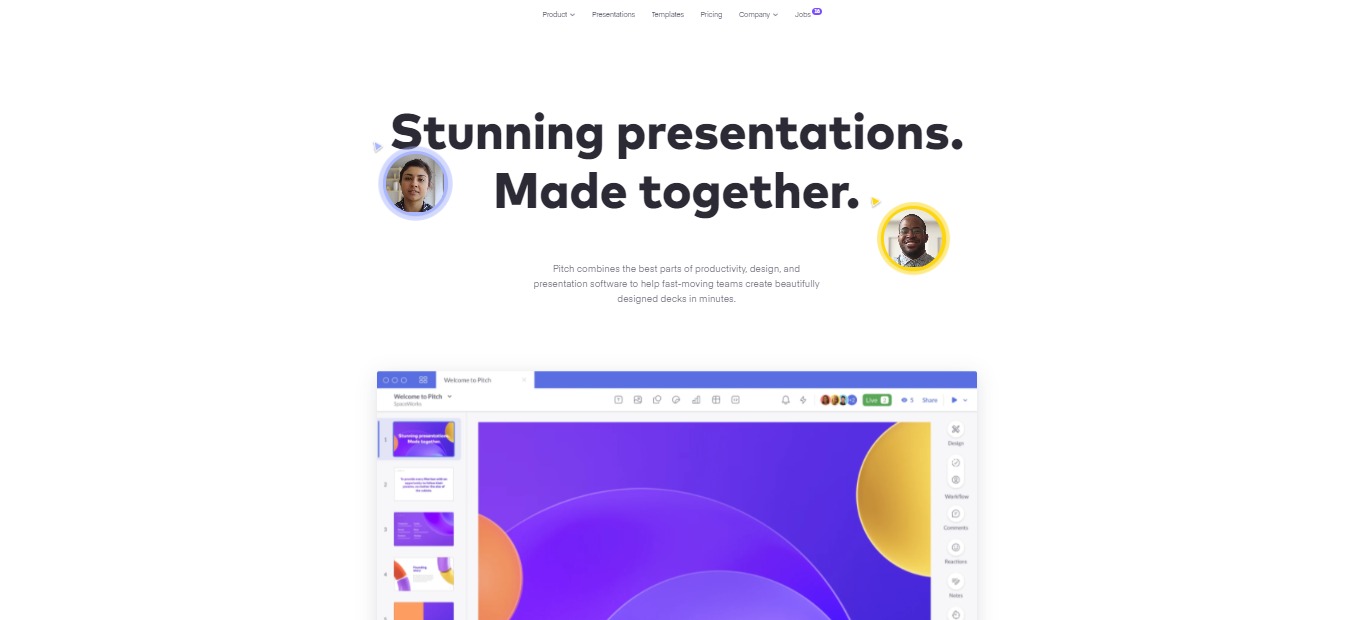
Pitch is an amazing software that aims to dethrone Powerpoint from the best presentation tool. It is a collaborative presentation platform created for modern teams, big or small. This application focuses on collaboration, which is a big thing nowadays that most of us work remotely.

Pitch has intuitive design features, making it appropriate for everyone. This application makes creating and delivering presentations fast and easy for teams. Many have switched to Pitch, including top brands such as Superhuman and Notion. Other big brands have also invested in Pitch because of its potential, including Instagram, Zoom, and Slack. 

Pitch does not disappoint because all of the features are essential. Even for a fairly new product, this application still delivers. However, if you want to have the full experience, you might want to buy the upgraded plan of Pitch. 

Overall, it is an easy-to-use, essential, and collaborative application for creating modern-time presentations.

πŸ‘ ProsπŸ‘Ž Cons
πŸ‘ Many templates
πŸ‘ Collaboration features
πŸ‘ Focused on design
πŸ‘ High-quality presentation 
πŸ‘ Easy to use
πŸ‘ Fast support
πŸ‘Ž No version history on free plan
πŸ‘Ž Limited graphics

🌟 About Pitch

Pitch is a presentation software that allows you to create wonderful presentations without the need to sacrifice aesthetics, collaboration, and time. This software is built to aid teams of different sizes to create better presentations.Β 

Pitch is centered on being team-first that is, all of their features cater for good collaboration among your peers. This application is easy to use, even for users without any background in design. Also, this application has multiple integrations that make your lives easier – import data from Google Sheets and Analytics, etc.; and embed different graphics.

Pitch was founded in 2018 because of the need for a complete platform for presentations that allows all team’s best thinking. In Pitch, the entire workflow of presenting is unified so that teams can effortlessly move from draft to deck! All of that makes Pitch a dedicated home that our best thinking deserves. Join with the biggest investors and users of Pitch and experience creating presentations like no other!

🎁 What’s In It For You?

Pitch is made for teams and created for anything. The tools of this platform keep your team to be on-brand, on time, and message. While using his app, creating and sharing your ideas will seem effortless.

Pitch offers beautiful and professional templates for you and your team to use. Pitch has a gallery of custom-made templates that are best for every use and it is available for your next presentation. This application also lets you create a cohesive presentation by adding your brand’s assets to Pitch; now you can make every presentation consistent. Aside from the available templates, Pitch lets you create your own template. 

An amazing feature of Pitch is the live video collaboration that lets you discuss and meet on Pitch. If you don’t like video collaboration, you can always opt for the comment feature of Pitch that allows you to chat your ideas to your team. Pitch also lets you set a status and delegate work to teammates. 

Basically, all of the features of any presentation app are present on Pitch, but it’s easier. Now you can create presentations with ease, even for non-designers!

πŸ–₯️ How Does It Work?

  1. Select from templates to create a presentation. 
  1. You will be given the option to choose a slide from the template or start from scratch.
  1. The editor toolbar from the top center allows you to create different texts, images, media, shapes, stickers, charts (you can import a CSV or from Google Sheets/Analytics), tables, and embeds from Youtube, Vimeo, or Loom.
  1. Manage background, presentation styles, and slide numbers on the Design bubble. Below is a set of tools that allow you to collaborate with your team.

πŸ’² Pricing Plans & Support

Pitch helps every team of different sizes to build better presentations together. Switch to Pitch on these available pricing plans. 

πŸ’Ž Starter – $0/Month

This essential deal for presenting is free forever!

γ€° Unlimited presentations

γ€° Unlimited members and guests

γ€° Custom templates and fonts

γ€° Live video collaboration

γ€° Basic analytics

πŸ’Ž Pro – $8/Month

This essential deal for presenting is only $8 per member per month!

γ€° Everything in Starter

γ€° Workspace roles

γ€° Shared private folders

γ€° Video uploads

γ€° Unlimited file size upload

γ€° Unbranded PDF exports

γ€° Version history

γ€° Advanced analytics

πŸ’Ž Enterprise – $Contact Sales

This essential deal for presenting is available upon contacting sales!

γ€° Everything in Pro

γ€° SAML-based SSO

γ€° Dedicated success manager

πŸ“ The Competition

πŸ‘ ProsπŸ‘Ž Cons
πŸ‘ Very rich graphics, elements, and templates
πŸ‘ Easy to use
πŸ‘ Collaboration and presenting features
πŸ‘ Free plan is useful
πŸ‘Ž Other graphics require an upgraded plan
πŸ‘Ž Limited storage on free plan

Try the Team-First Presentation Software with Pitch

Nifty: Keep people, projects, & functions aligned in one place

βš–οΈ Our Verdict

Nifty streamlines your everyday routine by combining team communication, project management, planning, and tracking into a single, genuinely collaborative workflow. Nifty provides dynamic roadmaps and task management, as well as automated milestone monitoring and task completion. In addition to that, it has an overview of all of your projects and colleagues’ tasks. With that, it can save you a lot of time!

This application is made for small, medium, and large enterprises, basically for every team! Nifty can be used for agile development, client management, digital agencies, marketing teams, and more! It has a free version, but the paid plans are recommended to utilize all the powerful features of Nifty.

In summary, Nifty is an affordable, easy-to-use, and great collaboration tool for every team’s project management needs!

πŸ‘ ProsπŸ‘Ž Cons
πŸ‘ Multiple task management features
πŸ‘ Workflow automation
πŸ‘ Has mobile apps
πŸ‘ Many integrations
πŸ‘ Easy to use
πŸ‘Ž Lacks expense management
πŸ‘Ž Time expense needs improvement
πŸ‘Ž Average UI

🌟 About Nifty

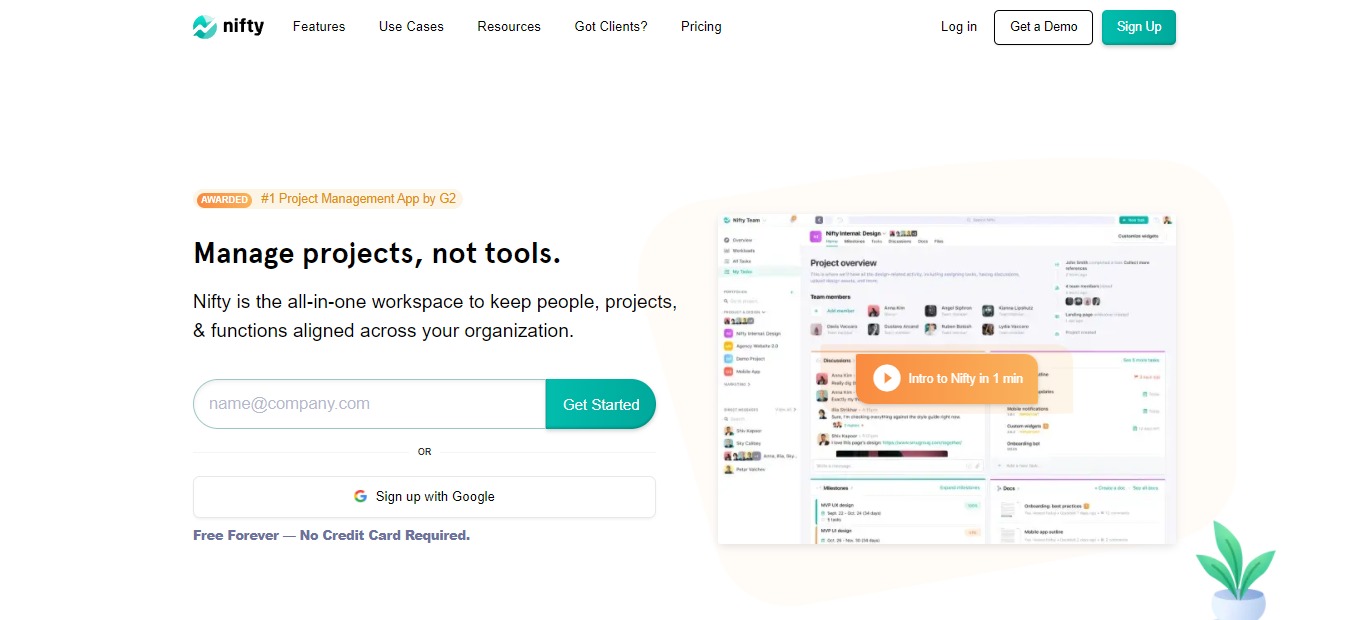
Nifty is an all-in-one project management software that keeps people, projects, and functions aligned across your team. This application has chats, goals, tasks, docs, and files all in one place, so you don’t need to switch between apps.

Nifty combines all the necessary tools into one software to make your team productive. Using Nifty results in milestone-driven progress that keeps everyone aligned, on schedule, and inspired. 

This application unites goals, actions, and communications so that you and your team can focus on the actual work that matters. Now you can create a concise plan for your projects and automate your progress tracking!

🎁 What’s In It For You?

Nifty lets you track projects, communicate real-time with your team, create documents collaboratively, and more! Nifty allows you to manage different tasks through the Kanban, Swimlane, and List views. With it, you can organize tasks with a high level of detail.Β 

Integrations of Nifty are powerful. You can integrate your calendar to Google with the built-in calendar. As mentioned, Nifty can also be integrated with Google for file and document sharing. 

Collaborating on Nifty is seamless as each project has an individual discussion thread for your team to use. Aside from discussion threads, Nifty also allows you to use direct messages. Nifty is created to facilitate collaboration like no other.

There are a lot of features that Nifty offers in order to upgrade your team’s collaboration. These include Milestones, automated progress based on task completion; time tracking and reporting; and an overview of the projects.

πŸ–₯️ How Does It Work?

  1. Create a portfolio that contains projects.
  1. The Overview section allows you to view all the projects running in a portfolio in a single timeline. You can also sort the overview across different parameters.
  1. Click on a project workflow. Here you can invite guests to Nifty to collaborate. 
  1. Add tasks to a project. You can assign them to your team and sort them by dragging and dropping. 
  1. The Milestones show the project status. This can be shared publicly through a link.
  1. The Discussions section allows you to communicate with your team.

πŸ’² Pricing Plans & Support

The pricing plan of Nifty is detailed and elaborate. You can upgrade, downgrade, or cancel anytime! 

πŸ’Ž Free – $0/Month

This basic deal is free!

γ€° Core features 

γ€° ️Unlimited members

γ€° 100MB space

γ€° 2 Projects

πŸ’Ž Starter – $49/Month

Get started with the upgraded version of Nifty for only $49 per month!

γ€° Core features 

γ€° 10 members

γ€° 100GB space

γ€° 40 Projects

γ€° Unlimited guests and clients

γ€° Advanced features

πŸ’Ž Pro – $99/month

Great for growing teams. This deal is only $99 per month!

γ€° Core features 

γ€° 20 members

γ€° 500GB space

γ€° Unlimited projects

γ€° Unlimited guests and clients

γ€° Advanced features

γ€° Upgraded security

πŸ’Ž Business – $149/month

Great for advanced teams. This deal is only $149 per month!

γ€° Core features 

γ€° 50 members

γ€° 1TB space

γ€° Unlimited projects

γ€° Unlimited guests and clients

γ€° Advanced features

γ€° Upgraded security

γ€° Priority support

πŸ’Ž Unlimited – $499/month

This plan is a fully scaled solution for only $499 per month!

γ€° Everything unlimited and advanced

πŸ“ The Competition

πŸ‘ ProsπŸ‘Ž Cons
πŸ‘ Business management features
πŸ‘ Easy and intuitive to use
πŸ‘ Affordable and has a free trial
πŸ‘ Good UI/UX
πŸ‘Ž Limitations on mobile app
πŸ‘Ž Paid application
πŸ‘Ž Lacks some features

Keep people, projects, & functions aligned in one place with Nifty